


Sensitivity analysis is about systematically testing how tweaks to your key assumptions—things like customer acquisition costs or pricing—will ripple through your bottom line. Think of it as a strategic 'what-if' button for your business, turning a static financial model into a dynamic tool for making much smarter, insight-led decisions. It helps answer the critical question: "What variables have the biggest impact on my profit?"
Why Your Business Plan Needs a What-If Button
Ever feel like your financial forecast is a house of cards? You've spent weeks, maybe months, wrestling with Excel chaos, pulling together siloed operational data, and building a projection you can finally stand behind. But there’s always that nagging thought: what if one of my core assumptions is just plain wrong?
One unexpected market shift or supply chain hiccup, and the whole plan could come tumbling down. This is a frustration I see all the time with founders and operators. Your business doesn't exist in a vacuum, so a static spreadsheet often feels more like a historical record than a forward-looking guide. This is exactly where sensitivity analysis steps in.

Moving Beyond Static Forecasts
Instead of locking yourself into a single, rigid forecast, sensitivity analysis forces you to identify—and then pressure-test—the variables that truly drive your business's performance. It’s the ultimate stress test for your strategy, giving you visibility into performance under different conditions.
Let me give you a real-world scenario we run into constantly: a direct-to-consumer brand founder is finalizing their budget. They're worried about how a 20% jump in shipping costs or a 10% drop in ad conversion rates will hammer their profitability. Instead of guessing or, worse, creating ten different versions of their spreadsheet, a proper sensitivity analysis in their forecasting model gives them a clear, digestible range of potential outcomes.
Here's a quick breakdown of the core elements involved, helping you understand the moving parts before we build your model.
Key Components of a Sensitivity Analysis
| Component | What It Means for Your Business | Example |
|---|---|---|
| Independent Variables | These are the "levers" you can pull or that might change due to market forces. They're your key assumptions. | Customer Acquisition Cost (CAC), Conversion Rate, Monthly Churn, Average Order Value (AOV). |
| Dependent Variable | This is the final output or metric you're trying to measure. It's the bottom-line number you care most about. | Net Profit, EBITDA, Cash Flow, Customer Lifetime Value (LTV). |
| Scenarios/Ranges | These are the different values you'll test for your independent variables, from best-case to worst-case. | Testing CAC at $50 (optimistic), $75 (base case), and $100 (pessimistic). |
With this structure, you can see how wiggling one number (like CAC) directly impacts your most important metric (like Net Profit).
This methodical approach delivers some immediate wins:
- Pinpoints Your Biggest Risks: It quickly shines a spotlight on which variables have an outsized impact on your net profit or cash flow.
- Drives Better Decisions: Armed with this knowledge, you can make more confident choices about pricing, marketing spend, and operational investments.
- Builds Investor Confidence: You can walk into a board meeting with a realistic financial picture, showing you've already stress-tested a variety of outcomes.
Getting a handle on how these variables affect your business is a critical skill, and it goes hand-in-hand with forecasting sales and leveraging data for growth.
The whole idea is to shift your mindset from "What will happen?" to "What would happen if…?" This is fundamental to building a resilient business that can adapt to uncertainty instead of just reacting to it.
From Manual Calculations to Modern BI
The concept of sensitivity analysis isn't new. For decades, it was a tedious, manual exercise buried in complex spreadsheets. But for modern small and mid-sized businesses, the game has changed. You no longer need to be a quantitative analyst to reap the benefits.
Modern business intelligence (BI) tools like Power BI can automate these "what-if" tests, turning a painful manual task into an interactive exploration. It transforms your financial model from a siloed reporting tool into a dynamic engine for smarter decisions. You get the confidence to navigate uncertainty without getting lost in spreadsheet chaos—a powerful strategy you can explore alongside our other small business secrets and insights.
Identifying Your Business's Most Critical Drivers
A great analysis always starts by asking the right questions. Before you even think about your cash flow reporting or open a Power BI dashboard, the first step is to pinpoint the handful of variables that truly move the needle for your business. It's easy to get lost tracking dozens of metrics, but a meaningful analysis zeroes in on the vital few.
Think of it like tuning a high-performance engine. You'd focus on the critical components—fuel mixture, air intake—that have the biggest impact. Your business is no different.
For a SaaS founder, the real drivers are lurking a layer deeper than just 'sales'. Variables like customer churn rate, customer lifetime value (LTV), and customer acquisition cost (CAC) are the true levers of profitability. A seemingly small tweak in churn, for instance, can have a monumental impact on your long-term revenue.
Similarly, an e-commerce owner's success hangs on a delicate balance between average order value (AOV), product return rate, and the return on ad spend (ROAS). A fantastic increase in AOV could be completely wiped out by a spike in returns, and understanding that interplay is crucial.
Distinguishing Inputs from Outputs
To structure your analysis correctly, you need to be crystal clear on the difference between the inputs you’ll test and the outputs you’ll measure.
- Independent Variables (Inputs): These are the assumptions and operational levers you’re going to adjust in your model. Think of them as the 'causes' in your cause-and-effect experiment.
- Dependent Variables (Outputs): These are the ultimate outcomes you care about, like your net profit or cash flow. They're the 'effects' that change when you start pulling those input levers.
Here’s what this looks like for different business models:
| Business Type | Key Independent Variables (Inputs) | Key Dependent Variable (Output) |
|---|---|---|
| SaaS | Monthly Recurring Revenue (MRR), Churn Rate (%), CAC ($) | Net Profit / EBITDA |
| E-commerce | Average Order Value ($), Conversion Rate (%), Ad Spend ($) | Gross Margin / Cash Flow |
| Consultancy | Billable Hours, Average Hourly Rate ($), Project Pipeline | Monthly Net Income |
Making this simple separation keeps your financial model built with a clear purpose. You're not just building a report; you're building a decision-making tool.
Finding Your Focus Variables
So, how do you uncover these critical drivers in your own business? A great place to start is your existing financial statements and operational KPIs. You're looking for variables that have one of two key characteristics: high impact or high uncertainty.
A high-impact variable is something like your product's price. A 10% price increase flows almost directly to your bottom line, making it an incredibly sensitive lever.
A high-uncertainty variable, on the other hand, is something like future material costs or the conversion rate on a brand-new marketing channel. You don't know for sure what they'll be, which makes them perfect candidates for testing.
The real magic happens when you find a variable that is both highly uncertain and has a massive impact on your profit. This is where your biggest risks and opportunities are hiding.
By taking the time to isolate these drivers first, you lay a solid foundation for an analysis that actually means something. This initial strategic thinking is far more valuable than diving straight into complex formulas. It ensures you're testing the assumptions that truly matter and gets you one step closer to making genuinely insight-led decisions.
Want to automate your reporting and finally trust your data? Book your free BI consultation with our BI consultants today.
Setting Up Your Financial Model for Analysis
Okay, let's move from theory to practice. Getting this right starts with a well-structured financial model. A model built for analysis makes running "what-if" scenarios a seamless, repeatable process. If it's not, you're signing up for a manual, time-consuming nightmare.
Whether you’re in a trusty Excel spreadsheet or a dynamic Power BI dashboard, the core principle is identical.
The golden rule? No hard-coding. Seriously. Hard-coding is when you type numbers directly into formulas (think =A2 * 0.05 instead of =A2 * B5, where B5 holds your 5% assumption). It's a tiny shortcut that creates massive headaches, turning your model into a fragile house of cards. One small change means you're hunting down every single formula that used that number.
The Power of a Dedicated Assumptions Tab
The antidote to hard-coding is simple: create a dedicated 'Assumptions' tab. This is non-negotiable for any flexible financial forecast. It’s your central hub where all key business drivers—the variables we identified earlier—get their own cell.
This setup means you can change a critical number in one place and watch the impact ripple through your entire forecast. Want to see how a conversion rate of 3.5% instead of 3.0% affects net profit three years out? Just change one cell. The answer appears instantly. This is how you trade spreadsheet chaos for strategic clarity.
This is the first step toward creating a flexible framework, a core part of supercharging your finances with smarter modelling.
Structuring Your Model in Excel
For many businesses, the journey from Excel to Power BI starts with a well-built spreadsheet. The trick is to use its built-in features to automate your sensitivity tests.
- One-Way Data Tables: This is your go-to for testing how changes in one variable (like Customer Acquisition Cost) affect multiple outputs (like Net Profit and Cash Flow). You just set up a column of different CAC values, and Excel does the heavy lifting to calculate the outcomes for each one.
- Two-Way Data Tables: This takes it a step further. It lets you test two variables at the same time. For instance, you can create a grid that shows how Net Profit shifts across a range of different CACs and different Average Order Values. It's perfect for understanding how your key drivers interact.
A model with a clean assumptions tab and data tables is the difference between a static report and a dynamic decision-making engine. It lets you run scenarios in minutes, not hours of painful manual updates.
This is what a well-structured, interactive model can look like.
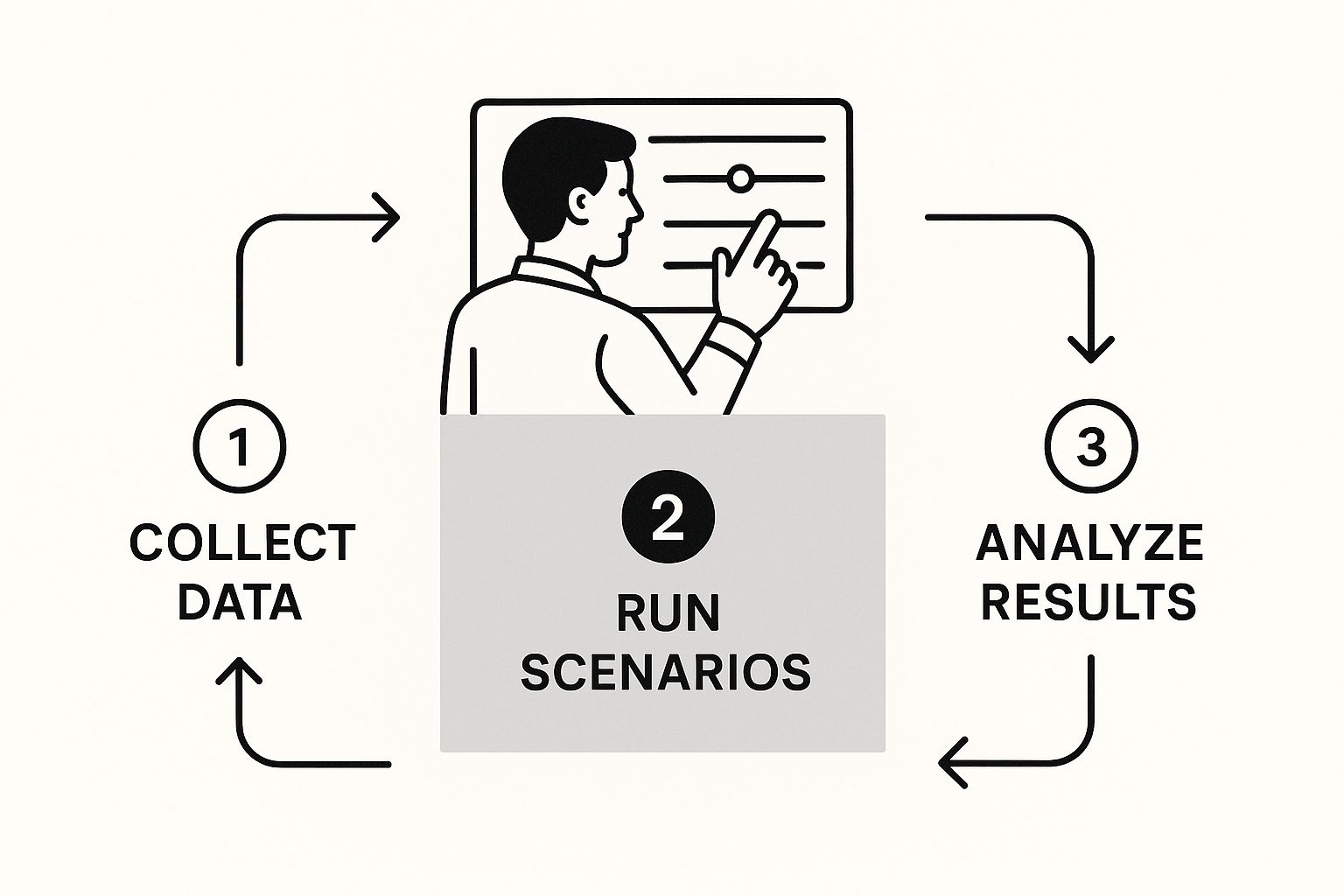
The ability to adjust variables with sliders and see immediate results is what separates a modern BI approach from legacy spreadsheet wrangling.
Interactive Analysis in Power BI
If you're ready to graduate from static tables, Power BI brings your sensitivity analysis to life. The key feature here is the 'What-If Parameter'. This tool lets you build interactive sliders directly into your dashboard.
Instead of a fixed table, you can create a slider for "Ad Spend" or "Churn Rate." Your team can then literally drag the slider during a meeting and watch the forecast charts and KPIs change in real-time. This is a game-changer for leadership meetings—it turns a one-way presentation into an interactive workshop. You’re no longer just showing the numbers; you're exploring the possibilities together.
Whether you stick with Excel or jump into Power BI, the goal is the same: build a flexible model that lets you ask "what-if" and get an immediate, reliable answer. If your current model feels more like a cage than a tool, we can help.
Visualizing and Interpreting Your Results
Running the numbers is only half the battle. A spreadsheet crammed with data is fine, but it rarely inspires action. To truly connect the dots for your leadership team, investors, or even just yourself, you have to transform that raw output into a compelling visual story that drives decisions.
This is where the conversation shifts from, "Here's the data," to, "Here's what the data tells us we should do next." Effective visualization turns your hard work from a complex financial model into a clear, strategic directive. Without it, your insights risk getting lost in a spreadsheet somewhere on a shared drive.
The goal is to build KPI dashboards that make your findings impossible to ignore. A great visual instantly communicates risk, highlights opportunity, and focuses everyone's attention on the handful of drivers that truly matter. For a little inspiration on building visual summaries that pack a punch, it's worth checking out some effective dashboard design examples.
Meet the Tornado Chart: Your New Best Friend
If you learn to create just one chart for your sensitivity analysis, make it the Tornado Chart. This visualization is the star of the show for a reason: it instantly ranks your business drivers by their impact on a key outcome, like net profit.
The longest bar sits at the top, representing the variable with the most significant potential swing on your bottom line. As you move down, the bars get progressively shorter, creating that distinctive "tornado" shape. In a single glance, anyone can see exactly which variables demand the most strategic attention.
Imagine presenting this to your board. Instead of debating dozens of small factors, the Tornado Chart immediately focuses the conversation on the top two or three levers—maybe customer churn and average order value. It cuts through the noise and aligns everyone on where the real risks and opportunities are.
Other Powerful Visualization Techniques
While the Tornado Chart is a powerhouse, other visuals can tell different parts of your story. The key is always choosing the right chart for the insight you want to get across.
- Spider Charts (or Radar Charts): These are perfect for comparing multiple scenarios at once. For instance, you could plot a "Base Case," an "Optimistic Growth," and a "Recession" scenario to see how they stack up across several KPIs like revenue, profit, and cash flow.
- Break-Even Graphs: A simple but incredibly powerful line chart can show the exact point where you start turning a profit. By running a sensitivity analysis on your fixed or variable costs, you can visualize how your break-even point shifts, answering critical questions like, "How many units do we need to sell if our material costs go up by 15%?"
To help you decide, here’s a quick guide to choosing the most effective visual for your specific needs.
Choosing the Right Chart for Your Analysis
This table breaks down which chart to use and when, helping you match the visualization to the strategic question you're trying to answer.
| Chart Type | Best Used For | Key Insight It Provides |
|---|---|---|
| Tornado Chart | Comparing the relative impact of multiple independent variables on a single dependent variable. | "Which of our assumptions (e.g., CAC, churn, AOV) has the biggest potential impact on our net profit?" |
| Spider Chart | Evaluating the performance of a few distinct scenarios across several different metrics. | "How does our 'Aggressive Growth' scenario compare to our 'Conservative' scenario across revenue, profit, and cash flow?" |
| Break-Even Graph | Understanding the relationship between costs, volume, and profitability under different conditions. | "How much does our break-even sales volume increase if our key supplier raises prices by 10%?" |
Ultimately, the right chart is the one that gets the right conversation started.
The ultimate test of a good visualization is its ability to spark a strategic conversation. If your chart makes someone ask, "Okay, so what are we going to do about our customer churn problem?" you've succeeded.
By presenting your findings in a clear, visual format, you move beyond just performing sensitivity analysis and start using it as a tool to actively guide your business strategy.
If you’re ready to turn your complex financial data into clear, actionable dashboards, connect with us to design your financial dashboard in Power BI.
From Analysis to Action: A Strategic Framework
Running the numbers is just the starting point. An insight sitting in a spreadsheet is worthless; an insight that drives a change in your business plan is invaluable. This is where you bridge the gap between your financial model and your real-world operational strategy.
Think about it this way: if your Tornado Chart is practically screaming that customer churn is your most sensitive variable, the takeaway isn't just to make a note of it. The real strategic move is to double down on customer success, spin up a retention campaign, or take a hard look at your onboarding process. The analysis gives you the "why," and your strategy provides the "what's next."

This entire process is about drawing a straight line from a number in your model to a tangible initiative with a clear owner. If fluctuating material costs pose the biggest threat to your profitability, the action is to task your operations lead with renegotiating supplier contracts. This is how you align finance and ops to scale smart.
Creating a Resilient Business Rhythm
The goal here is to embed this analytical process into your regular business rhythm. It should become a living part of your strategic toolkit, not just a one-off project you dust off during the annual budgeting marathon. Doing this transforms sensitivity analysis from a reactive exercise into a proactive, strategic habit.
One of the most powerful ways to do this is by building a dynamic Power BI dashboard that tracks your most sensitive KPIs in real-time. This operationalizes your findings, giving your entire team a constant, up-to-date view of the variables that truly move the needle.
By making your key drivers visible daily, you empower your team to manage them proactively. It’s the difference between reviewing last quarter’s numbers and actively influencing next quarter’s outcome.
A Framework for Actionable Insights
To make sure your analysis leads to tangible results, you need a simple but effective framework. This structure translates your findings into specific, accountable initiatives that make the business stronger.
- Pinpoint the Critical Variable: First, identify the top 1-3 most sensitive drivers from your analysis. Let's say it's your Customer Acquisition Cost (CAC).
- Define the Strategic Response: Next, brainstorm specific actions. To tackle CAC, this could mean optimizing ad campaigns, testing new marketing channels, or improving landing page conversion rates.
- Assign Ownership and Timeline: This is critical. Assign a clear owner for each initiative and set a realistic deadline for implementation and reporting back.
- Measure and Iterate: Finally, track the impact of your actions against the sensitive KPI you identified. Did the changes work? If not, what’s the next test?
This structured approach is fundamental to robust financial modelling and strategic planning. It ensures your analysis doesn't just end with a chart, but instead kicks off a cycle of continuous improvement.
Building Trust Through Robust Analysis
This kind of rigorous approach also builds immense trust—both internally with your team and externally with investors. When you show you've stress-tested your assumptions, you’re demonstrating strategic foresight and a deep understanding of your business’s underlying mechanics.
Sensitivity analysis transparently communicates uncertainty and robustness, which is critical in fields like economics and business where unmeasured factors can threaten a forecast's validity. You can explore more about how these statistical methods are applied in research from the University of California, Berkeley.
Ultimately, sensitivity analysis is your bridge from data to decisions. It's how you build a more resilient, adaptable, and data-driven business.
Ready to turn your financial insights into a clear strategic action plan? See how Vizule can help automate your reporting stack and build the dashboards and models that drive growth.
Common Questions About Sensitivity Analysis
Even after laying out the framework, a few questions always pop up before founders and operators feel ready to dive in. Let's tackle the most common ones we hear, giving you the clear, straightforward answers you need to get started.
How Is This Different from Scenario Planning?
This is a fantastic question. The two are closely related, but they serve different purposes. I like to think of them as complementary tools: one is a microscope, and the other is a telescope.
Sensitivity analysis is your microscope. It zooms in on one or two specific variables—like your customer acquisition cost—to see exactly how sensitive your net profit is to tiny changes in that single driver. It’s all about answering questions like, "If our ad spend ROI shifts by +/- 10%, what happens to our bottom line?"
Scenario planning is your telescope. It zooms out to look at the big picture, bundling multiple variables together to model a broad future event. You’re not just tweaking one number; you're building a whole story. A 'recession scenario,' for instance, would probably involve a drop in new sales, a rise in customer churn, and a cut in marketing spend—all happening at once.
In short, sensitivity analysis isolates the impact of individual variables. Scenario planning bundles multiple changes together to model a comprehensive future state. You really need both for solid business planning.
How Often Should I Run This Analysis?
This is definitely not a one-and-done task. Treating sensitivity analysis as a static, once-a-year report is one of the biggest mistakes we see. To be effective, it has to be a living part of your decision-making rhythm.
You should absolutely run a full analysis during key strategic moments:
- Annual Budgeting and Forecasting: This is the baseline. It’s where you pressure-test all the assumptions for the year ahead.
- Major Capital Investments: Before you drop serious cash on new equipment or an expansion, you have to know how sensitive the project's ROI is to your core assumptions.
- New Product or Service Launches: Test how tweaks in pricing, adoption rates, or marketing costs will ripple through the launch's profitability.
But more importantly, you should revisit it whenever a critical assumption about your business changes. Did a major competitor just slash their prices? Did a key supplier just hike their rates? Those are the perfect triggers to open up your model and see what the new reality looks like.
Can I Do This if My Financial Data Is a Mess?
This is probably the most common roadblock for SMB owners and startup founders. You're so busy running the business that financial data gets scattered across different spreadsheets, creating that "Excel chaos" that makes any forward-looking analysis feel completely overwhelming.
Here’s the honest truth: while clean data always gives you more reliable results, the process of setting up a proper sensitivity analysis is often the perfect catalyst for getting your financial house in order.
The very act of building a flexible financial model forces you to centralize your data from different silos, define your key drivers, and structure everything logically. It’s the first real step toward building a scalable reporting system. The analysis itself provides the motivation to clean up the mess because you can immediately see the incredible value it unlocks. You stop just reporting on the past and start actively shaping the future.
If that sounds like a huge lift, you’re not alone. This is exactly where many of our clients start their journey with us.
Ready to move past spreadsheet chaos and build a dynamic financial model that drives real strategic decisions? The team at Vizule specializes in helping businesses automate their reporting stack and unlock the power of their data.
Book your free BI consultation to see how we can help you build a more resilient, data-driven business.
