


You've seen it before. One sales rep enters "Jon Smith," another enters "J. Smith," and suddenly your customer count is wrong. These small data glitches seem harmless, but they're the root cause of messy reports, skewed financial models, and bad business decisions. You know the data is wrong, but fixing it feels like an endless, manual chore.
So, how do the pros handle this? To remove duplicate data in SQL, the most reliable methods are using the ROW_NUMBER() window function within a Common Table Expression (CTE) or, for simpler cases, using GROUP BY. These techniques allow you to surgically remove bad data without compromising the integrity of your financial or operational records, laying the foundation for trustworthy reporting.
The Real Cost of Duplicate Data for an SMB
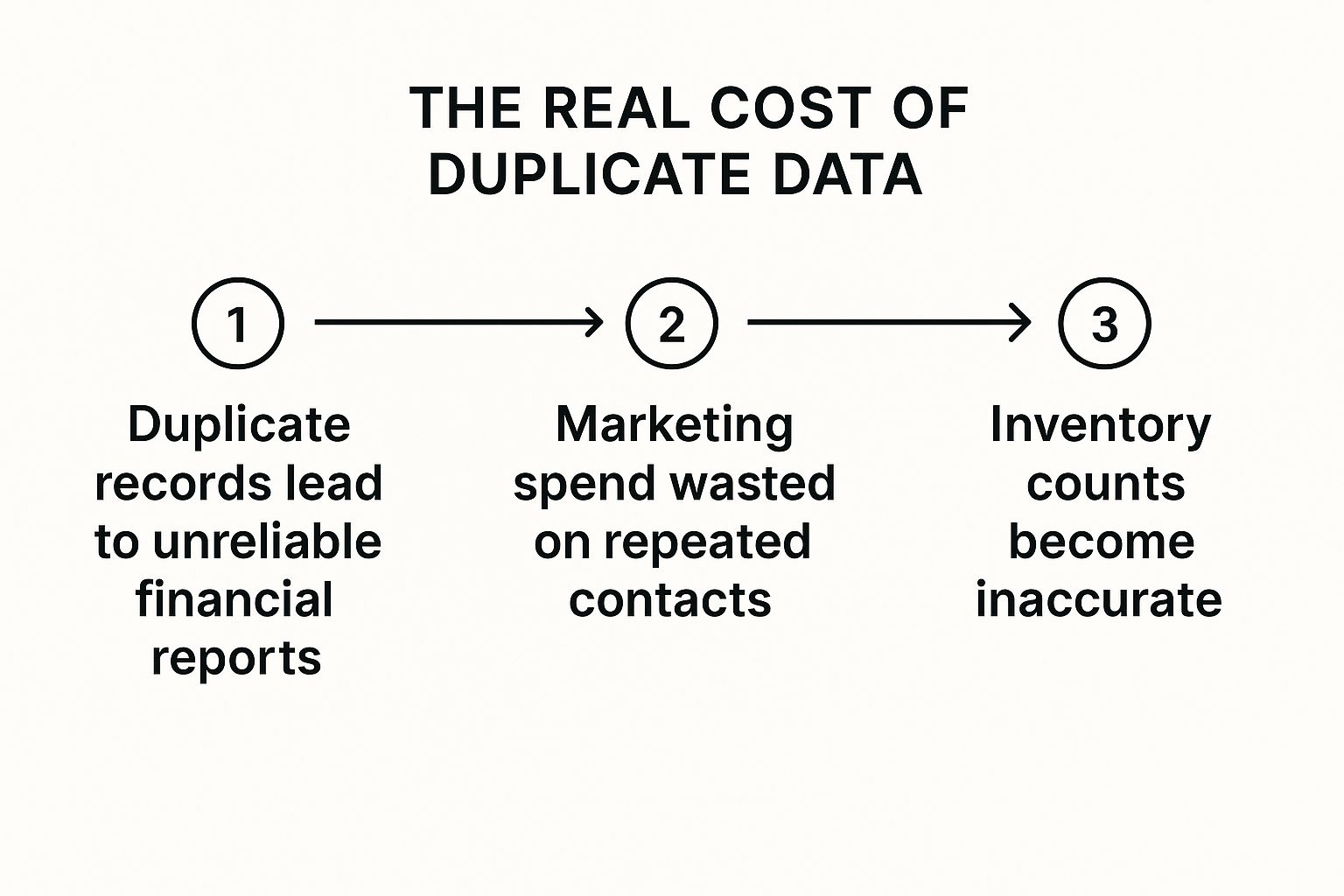
It starts small. A customer is added twice during a busy sales week. An automated import from a spreadsheet misformats a product code. These aren't just minor clerical errors; they're the seeds of a much bigger problem. Left unchecked, they multiply until you're staring at sales reports that don't add up, marketing campaigns hitting the same person twice, and inventory levels you can't trust.
This isn’t a technical glitch for an IT department to fix. It's a direct drag on your bottom line.
Why Clean Data Is a Commercial Imperative
For a growing business, that "Remove Duplicates" button in Excel is a band-aid on a gushing wound. As your company scales, your data grows exponentially, and manual clean-up becomes impossible. The consequences quickly become tangible and costly.
- Flawed Financial Models: When revenue is tied to customer accounts, duplicates can artificially inflate your customer count. This completely skews crucial metrics like customer lifetime value (CLV) and average revenue per user (ARPU). Suddenly, your financial forecasts and business plans are built on a foundation of sand.
- Wasted Resources: Every duplicate customer in your CRM is wasted marketing spend. Your sales team ends up chasing leads that are just alternate entries for existing clients, and your campaign analytics become a work of fiction.
- Poor Strategic Decisions: Bad data leads to bad decisions. Period. If your inventory data is riddled with duplicates, you might over-order stock you don’t need or, worse, run out of a bestseller because your system insisted you had plenty.
The table below breaks down exactly how these data issues translate into real-world business friction.
The Business Impact of Duplicate Data
| Area of Impact | Example of Duplicate Data | Business Consequence |
|---|---|---|
| Sales & Marketing | Multiple entries for the same customer (e.g., "Jon Smith" and "J. Smith"). | Wasted ad spend, skewed campaign analytics, and poor customer experience. |
| Financial Reporting | Duplicate invoices or transactions. | Inaccurate revenue figures, forecasting errors, and potential compliance issues. |
| Operations | Several SKUs for the same product due to typos. | Inventory mismanagement (overstocking or stockouts) and supply chain friction. |
| Customer Service | A customer has multiple support profiles. | Inefficient support, frustrated customers, and lack of a single customer view. |
As you can see, the problem cascades. A single data quality issue quickly spirals, impacting financial accuracy, operational efficiency, and long-term strategic planning.
To build a reliable foundation for business intelligence, you need a robust, scalable solution that goes far beyond a manual spreadsheet fix.
For founders and SMB operators, data integrity isn't a "nice-to-have"—it's the bedrock of sustainable growth. You can't scale intelligently if you can't trust your numbers. The first step is committing to a single source of truth.
This is where shifting from reactive clean-ups to a proactive strategy becomes essential. Learning how to remove duplicate data directly in SQL is a critical business skill, not just a technical one. It’s the professional standard for maintaining a clean dataset that can reliably feed your Power BI dashboards and financial models.
Before we jump into the specific SQL methods, it's worth understanding the foundational principles that lead to better data hygiene in the first place. You can learn more about this in our detailed guide on how to improve data quality.
The Precision Method: Using ROW_NUMBER() and a CTE
When your data is a mess, the goal is to find a reliable, repeatable way to clean it up. Let's cut right to the chase and focus on the most effective, modern technique for tackling duplicates in SQL: the ROW_NUMBER() window function. This approach is the gold standard for data professionals because of its precision and flexibility.
Think of it like this: you've got a stack of invoices, but some were accidentally printed twice. You'd go through the stack, find each unique invoice number, and then label the copies "1," "2," "3," and so on. To clean up, you just keep all the #1 copies and toss the rest. That’s exactly what ROW_NUMBER() does for your data.

This method is perfect for business owners and operators because the logic is so intuitive. You aren't just blindly deleting rows. Instead, you're setting up a clear, logical system to identify and remove only the specific records you want gone. It gives you complete control.
How ROW_NUMBER() Works in Practice
So, how does this actually work? The ROW_NUMBER() function assigns a unique, sequential number to each row within a group of data you define. In plain English, you tell it which columns make a row a "duplicate" (like customer_email or order_id), and it numbers each of those duplicates starting from 1.
We typically wrap this logic in a Common Table Expression (CTE). That’s just a fancy name for a temporary, named result that you can reference in your main query. It’s a clean way to break a complex problem down into a simple, readable step.
Let's walk through a common scenario for an e-commerce business: a Customers table with duplicate entries for the same email address. The goal is to keep only the most recently created record for each customer and get rid of the older ones.
Here’s the SQL logic, with comments to explain what’s happening at each stage:
-- First, use a CTE to find and number the duplicates
WITH NumberedCustomers AS (
    SELECT
        CustomerID,
        Email,
        CreatedDate,
        ROW_NUMBER() OVER(PARTITION BY Email ORDER BY CreatedDate DESC) as rn
    FROM
        Customers
)
-- Now, delete all rows where the row number is greater than 1
DELETE FROM NumberedCustomers
WHERE rn > 1;
The real magic happens in that OVER() clause. Let’s break it down:
PARTITION BY Email: This tells SQL to group all rows with the same email address together. It treats each email group as its own little bucket.ORDER BY CreatedDate DESC: Within each of those email buckets, this sorts the records by their creation date, from newest to oldest.ROW_NUMBER(): This function then assigns a number to each row in the sorted group, starting with 1 for the newest record.
The result? For any given email, the most recent entry gets a row number (rn) of 1, the next newest gets 2, and so on. The final DELETE statement is beautifully simple: it just removes anything that isn't the number 1 record.
Why This Method Is the Way to Go
You might be wondering why we go through this multi-step process instead of using a simpler method. It all comes down to precision and safety.
You have explicit, granular control over which record to keep. In our example, we kept the newest one by using DESC. But you could just as easily change that to ASC to keep the oldest record—a critical distinction if you're dealing with financial transactions where the first entry is often the source of truth.
This level of control is non-negotiable for reliable business intelligence. When you're building financial models or KPI dashboards in Power BI, you need absolute confidence that your underlying data is not just clean, but cleaned according to consistent business rules.
Historically, window functions like ROW_NUMBER() (introduced in the SQL:2003 standard) have been recognized as one of the most efficient ways to handle duplicates. Before they were widely available, database pros had to rely on clunky self-joins or slow subqueries. As SQL engines have optimized these functions, they've become the benchmark. You can see how experts approach this on YouTube to explore more SQL insights.
The point isn't to turn you into a SQL developer overnight. It's to show you that there are robust, logical systems for cleaning the data chaos that so many businesses face. When you understand the strategy, you're better equipped to guide your team or a consultant like Vizule to build the automated reporting stack your business actually needs.
If you’re tired of questioning your numbers and want to build a reporting system on a foundation of clean, trustworthy data, we can help. Book your free BI consultation and let's talk about how to automate your data cleanup process for good.
Using GROUP BY for Simpler Cleanup Tasks
While the ROW_NUMBER() method offers surgical precision, sometimes you just need to clean up obvious, identical mistakes quickly. For these more clear-cut problems, the classic GROUP BY and HAVING method works beautifully. It’s a foundational SQL concept that’s much easier to grasp if you’re just starting to get comfortable with your company's data.
Think of it as asking your database a straightforward question: "Can you group all the identical rows together for me, and then just point out which groups have more than one member?" It's an incredibly effective way to handle cases where you have exact, carbon-copy duplicates.
A Simple Approach for Straightforward Duplicates
Imagine a product table in your inventory system. Due to a data import glitch, some products were entered twice with the exact same details—same SKU, same ProductName, and same Price. These aren't partial duplicates; they are perfect copies. This is the ideal scenario for GROUP BY.
You can use this method to first identify the culprits. The logic is simple:
- Group the rows by all the relevant columns that define a unique product.
- Count how many rows are in each group.
- Filter for the groups
HAVINGa count greater than 1.
This quickly gives you a list of all the product details that have been duplicated, confirming the problem before you delete anything. It's a much safer first step than jumping straight into a DELETE command.
When to Choose GROUP BY Over ROW_NUMBER
So, when would you choose this simpler method? GROUP BY is your best friend when the duplicates are exact copies and you don't really care which of the identical copies you keep. Since they are all the same, keeping any one of them is fine.
However, its simplicity comes with a trade-off.
Unlike ROW_NUMBER(), this method doesn't give you an easy way to choose which record to keep based on another column, like a creation date. If your duplicate customer records have different phone numbers and you need to keep the newest one, ROW_NUMBER() is the superior tool.
The
GROUP BYmethod excels at bulk cleanup of low-stakes, identical records. It's the quick-and-dirty solution for obvious data entry errors, making it a valuable tool for initial data cleansing sweeps.
The technique of using GROUP BY and HAVING has been a cornerstone of SQL long before window functions became mainstream. It’s a robust and well-understood solution for managing data integrity.
Understanding both approaches helps you build a more complete toolkit. While ROW_NUMBER() handles complex, nuanced scenarios, GROUP BY is perfect for quick, confident cleanups. Mastering these database fundamentals is a key part of our broader philosophy on data cleansing techniques.
Ultimately, both methods are steps toward the same goal: creating a reliable dataset you can trust. This clean data is the fuel for the automated reporting systems and Power BI dashboards we build at Vizule, turning chaotic spreadsheets into a source of clear, actionable insight.
Ready to move beyond manual cleanups and build a data system that prevents duplicates in the first place? See how Vizule can help automate your reporting stack.
Essential Safety Checks Before You Delete Data
Running a DELETE script in SQL is like hitting the launch button—there's no undo. One wrong move can have serious consequences, corrupting your customer list or wiping out crucial transaction history. That’s why a safety net isn't just a good idea; it's a non-negotiable part of professional data management.
Before you even think about removing duplicate data in SQL, you need a plan to protect your business from costly, irreversible mistakes. These aren't complicated technical hoops to jump through. They are straightforward, common-sense precautions that ensure you handle your company’s most valuable asset with the care it deserves.

Always Back Up Your Table First
The first rule of data deletion is simple: always have an escape plan. Before you run any script that modifies or removes data, create a complete backup of the table you're working on.
This is much easier than it sounds. You don't need a complex backup process; a simple SQL command is often all it takes. For instance, you can create a new table with a timestamped name that holds an exact copy of the original data.
-- Create a backup of the 'Customers' table before making changes
CREATE TABLE Customers_Backup_20231026 AS
SELECT * FROM Customers;
If anything goes wrong—if you delete too many rows or the wrong ones—you can restore the original state of your data in minutes. This single step transforms a potentially catastrophic event into a manageable inconvenience.
Test Before You Delete
The second core principle is to preview exactly what you intend to delete. Never, ever run a DELETE statement without first running a corresponding SELECT statement to see which rows will be affected.
Think of it like this: a DELETE query and a SELECT query use the same WHERE clause to target rows. By writing your SELECT statement first, you get a preview of the records that are on the chopping block.
For example, if you're using the ROW_NUMBER() method, you would first run:
-- Preview the rows that would be deleted
SELECT *
FROM NumberedCustomers -- This is the CTE we defined earlier
WHERE rn > 1;
Review this list carefully. Do the rows look right? Is the count what you expected? Only when you've confirmed that the SELECT query returns the exact set of duplicates you want to eliminate should you swap SELECT * for DELETE.
Make a Business Decision on Which Record to Keep
When you find duplicates, a critical question comes up: which version of the record should you keep? This isn’t a technical decision; it's a business one that impacts the accuracy of your financial models and reporting.
-
Keep the Newest Record: For a customer list, you'll almost always want to keep the most recent entry. It’s more likely to have the correct phone number, address, or contact person. You can do this by ordering by a
CreatedDateorLastModifiedDatecolumn in descending order (DESC). -
Keep the Oldest Record: For financial transactions or original orders, the first record is often the source of truth. Keeping the oldest entry preserves the historical integrity of your data. This is done by ordering by a date column in ascending order (
ASC). -
Keep the Most Complete Record: Sometimes, neither the oldest nor the newest record is best. You might want to keep the one with the most filled-out fields—the one that isn't missing a phone number or an email address.
Defining this rule upfront is crucial for data consistency and is a key part of building a reliable data warehouse for your business.
At Vizule, we always start by mapping out these business rules with our clients. Automating your reporting stack isn't just about writing code; it's about embedding your company's operational logic into the data itself.
Finally, a simple but effective tip is to run delete operations during off-peak hours. If your business operates primarily from 9 to 5, schedule large data cleanup tasks for late at night or over the weekend. This minimizes the risk of disrupting daily operations or slowing down systems when your team needs them most.
These safety checks are fundamental to building a data culture you can trust. If you're ready to implement robust data practices that fuel reliable Power BI dashboards, connect with us to design your financial dashboard in Power BI.
Building a System to Prevent Future Duplicates
Cleaning up your data once is a great start, but the real victory is making sure duplicates never show up again. This is where we move from a one-off technical fix to a real, long-term business strategy. Think of it like this: constantly cleaning a messy room is exhausting. It's far more effective to figure out why it keeps getting messy and fix the root cause.
Poor data quality is almost always a symptom of a broken process. Maybe your team has inconsistent data entry standards, or perhaps your e-commerce platform and CRM aren't syncing correctly. Whatever the issue, the endless cycle of finding and deleting duplicates is a massive drain on resources. The goal is to build a system that enforces data integrity from the get-go.

From Manual Fixes to Proactive Prevention
Your first line of defense is right inside your database structure. One of the simplest yet most powerful tools at your disposal is a unique constraint. This is a rule you apply to a column (or a combination of columns) that physically stops the database from accepting a duplicate value. Simple as that.
For example, you can add a unique constraint to the Email column in your customer table. If a salesperson tries to add a new customer with an email that's already in there, the database will simply reject the entry. It’s a hard stop that keeps your data clean at the source.
Here are a few foundational strategies to build a more robust system:
- Establish a Single Source of Truth: Instead of pulling data from ten different spreadsheets and apps, centralize it. A data warehouse acts as a single, clean repository where all your information is gathered, standardized, and de-duplicated before it ever hits your reports.
- Define Clear Data Entry Protocols: Create simple, unambiguous rules for how your team enters data. This could be as basic as standardizing name formats ("Jon Smith" vs. "Smith, Jon") or ensuring all phone numbers follow the same pattern.
- Automate Data Integration: Manually importing and exporting data between systems is a classic recipe for errors and duplicates. A well-designed system automates this flow, ensuring data moves consistently and correctly every single time.
Building a preventative system is the difference between being a data janitor and a data-driven leader. You stop spending time on manual cleanups and start focusing on what the data is actually telling you.
This strategic shift gets to the core of what we do at Vizule. We build automated data systems that pipe reliable, clean information directly into your Power BI dashboards and financial models. The performance hit from deleting duplicates at scale is well-known; a classic database example from 2005 showed a DELETE query on a table with over 275,000 rows took more than an hour to finish. You can see why prevention is so much better than the cure.
Creating an Automated Data Pipeline
The ultimate solution is an automated system that handles all this for you. We call this a data pipeline—a process that pulls data from your sources, transforms it based on your business rules (including de-duplication), and loads it into a central hub, ready for analysis.
A system like this ensures your reporting is always based on trustworthy, current data without anyone having to lift a finger. If you're curious about the nuts and bolts, we've put together a full guide on how to build a data pipeline that can serve as your single source of truth.
When your data is clean by default, you can finally trust the numbers you see in your financial reports and KPI dashboards. You can stop cleaning data and start using it to make decisions that actually drive growth.
Common Questions About Cleaning SQL Data
Dealing with duplicate data always sparks practical questions that go beyond the code. Business owners and founders need to know the real-world impact of these cleanup jobs. Let's tackle a few common queries we hear all the time to help you navigate the process and sidestep any costly mistakes.
Which Duplicate Record Should I Keep: The Oldest Or The Newest?
This is a fantastic question, and it's more about business logic than technology. The right answer depends entirely on what the data represents and how your company operates.
- For customer records, you almost always want to hang on to the newest entry. This record is the most likely to have the current email address, phone number, or shipping info.
- For financial transactions, keeping the oldest record is often non-negotiable. This preserves the original transaction date and ensures historical accuracy for audits or financial modeling.
The ROW_NUMBER() method is your best friend here. It lets you sort your data by a creation date or timestamp (ORDER BY CreatedDate DESC for the newest, ASC for the oldest), making sure you consistently keep the right record every single time. Always define your "keep" criteria before writing a single line of SQL.
Can I Run These SQL Commands In My CRM Or Accounting Software?
Technically, your CRM or accounting software almost certainly uses a SQL database in the background. But we strongly advise against running DELETE commands directly in its live environment.
Think of your core software as a sealed engine from the manufacturer. Poking around and running scripts directly on it can break application features, corrupt data in ways you'd never expect, or even violate your service agreement. It's a high-risk gamble that can create a much bigger mess than the one you're trying to fix.
The smartest and safest move is to pull this data into a separate, dedicated data warehouse. This gives you a sandbox where you can clean, transform, and de-duplicate your information without risking your day-to-day operational systems.
Once the data is clean and verified in the warehouse, you can use it to power your Power BI reports. This way, you get accurate insights for making decisions without ever compromising the integrity of your essential business tools.
This Seems Complicated. Is There An Easier Way To Automate This?
You've hit the nail on the head—running scripts by hand every week or month isn't a scalable solution for a growing business. It’s a temporary patch, not a long-term strategy. The real goal should always be automation.
At Vizule, this is the exact problem we solve. We build automated data pipelines that handle this entire cleanup process for you. These systems pull data from your sources (like your CRM and accounting software), run all the cleaning and de-duplication jobs automatically, and then load that trustworthy data into a central hub for reporting.
This means your Power BI dashboards and financial models are always accurate and up-to-date, with zero manual work needed from you or your team. You can finally stop wasting time cleaning data and start using it to make insight-led decisions that actually drive the business forward.
Tired of battling messy data and unreliable reports? At Vizule, we connect the dots in your data, building automated reporting systems that give you a single source of truth you can finally trust. Book your free BI consultation today and see how we can turn data chaos into clarity.
