


For small and medium-sized businesses, data analytics is no longer a high-tech luxury—it’s the key to turning a mess of siloed data into clear, actionable insights. If you're tired of wrestling with manual spreadsheets, you know the pain point: your reports are always out of date, you can't trust the numbers, and you're making critical decisions based on gut feelings. By finally moving from Excel chaos to automated tools like Power BI, you can get a complete, real-time picture of your business performance, align your teams, and start making confident decisions that truly fuel growth.
Moving Beyond Spreadsheets to Drive Growth
If you're like most SMB operators, the daily spreadsheet grind is painfully familiar. You spend hours pulling sales numbers from Shopify, financial reports from QuickBooks, and operational metrics from somewhere else entirely. The whole process is slow, tedious, and, worst of all, riddled with errors that make you doubt the very numbers you're looking at.
This constant data chaos keeps you stuck in a reactive loop. Instead of steering the ship with a clear map, you're just reacting to whatever fire pops up, running on gut feelings and reports that were outdated the second you finished them. This old way of doing things isn't just frustrating; it's a major roadblock to scaling your business smart.
The Shift from Manual Reports to Automated Dashboards
The biggest problem with spreadsheet-based reporting is that it’s like driving while only looking in the rearview mirror. It gives you a static snapshot of what already happened. By the time you've wrangled all the data, the moment to act has passed.
Modern data analytics for small business, on the other hand, gives you a live, dynamic view of what’s happening right now. This is the fundamental leap from old-school reporting to active business intelligence (BI). Instead of just asking, "What happened last month?" you can ask, "What's happening this minute, and why?"
This shift is powered by tools like Microsoft Power BI, which connect your different data sources into one single, automated system.
Here’s a glimpse of what a modern, interactive dashboard looks like. It brings all your key metrics together in one clean, easy-to-read view.
This visual approach turns complex numbers into simple charts and graphs, letting you spot trends and uncover opportunities in seconds.
Why Data Analytics is Now Essential for Survival
The good news is, these analytics tools are no longer reserved for Fortune 500 companies. They've become so accessible that they've leveled the playing field, making data-driven insights a necessity, not just a nice-to-have.
In fact, according to recent analysis, by 2025, small and medium-sized businesses will be using AI-driven analytics to fine-tune everything from inventory to customer experience. You can read more about this trend and find more insights about this shift at USDSI.org. It's no longer about getting an edge; it's about staying in the game.
Adopting a data-first mindset gives you the power to:
- Establish a Single Source of Truth: Unify your financial, sales, and operational data so everyone on your team is working from the same playbook. No more conflicting numbers from different departments.
- Automate Time-Consuming Tasks: Forget about spending hours on manual data entry and report building. Free up your team to focus on the strategic work that actually moves the needle.
- Unlock Predictive Insights: Stop looking backward and start looking forward. Build a forecasting model for future trends, from cash flow projections to customer demand, and make proactive decisions.
Ultimately, embracing data analytics is about taking back control. It’s about replacing guesswork with certainty and giving your team the tools to make smarter, faster decisions that lead to profitable growth.
What Data Analytics Really Means for Your Business
Let's be honest, the term "data analytics" can sound a bit… corporate. For many business owners, it conjures up images of giant companies with teams of data scientists. But in reality, the concept is much simpler than that.
Think of all your business data—every sale recorded in Shopify, every invoice in QuickBooks, every website click—as a messy, disorganized storeroom. Data analytics is the process of tidying up that room, organizing everything onto clearly labeled shelves, and creating an inventory list so you know exactly what you have. It's the system that turns chaos into clarity.
Instead of guessing what’s selling, you know. Instead of wondering which marketing campaigns are actually working, the numbers tell you. It's about swapping gut feelings for decisions backed by cold, hard facts.
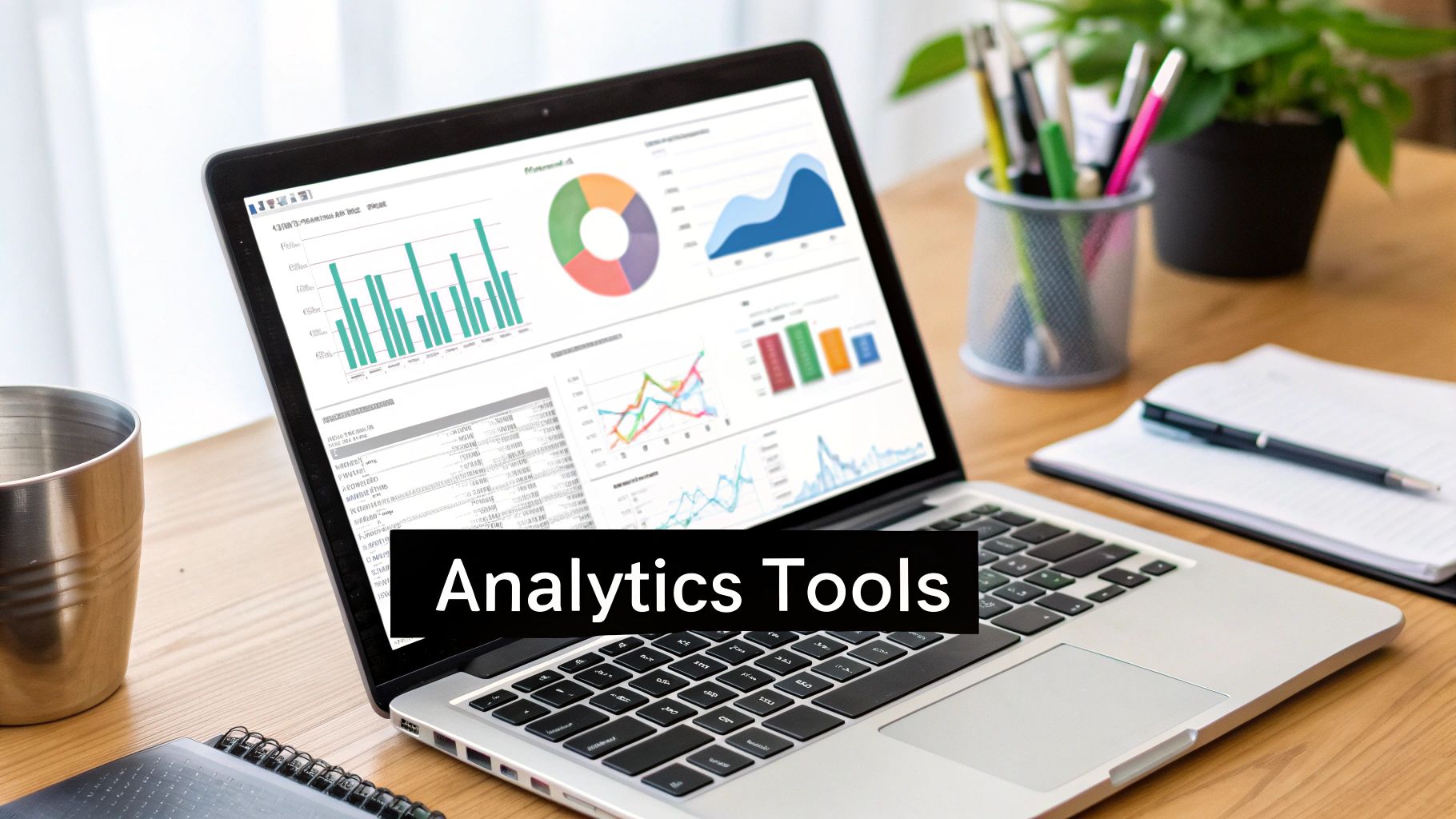
As you can see, a good BI dashboard brings it all together. Metrics for finance, sales, and operations stop living in separate spreadsheets and start telling a single, cohesive story about the health of your business.
Four Types of Data Analytics Explained
Data analytics isn't just one thing; it's a journey of asking smarter and smarter questions about your business. There are four distinct types, and each one builds on the one before it, taking you from simply looking at the past to actively shaping the future.
We can break them down like this:
| Analytics Type | Business Question It Answers | Small Business Example |
|---|---|---|
| Descriptive | "What happened?" | Your monthly sales report shows you sold 150 units of your top product. |
| Diagnostic | "Why did it happen?" | You dig in and find that a specific email campaign drove 70% of those sales. |
| Predictive | "What is likely to happen next?" | Based on past trends, your forecasting model suggests you'll sell 200 units next month. |
| Prescriptive | "What should we do about it?" | The system recommends you increase your ad spend on a similar campaign by 15% to hit a new sales target. |
As you move through these stages, you stop just reacting to what’s already happened and start anticipating what's coming next. It’s a powerful shift from reactive management to proactive leadership.
From Theory to Practice
Understanding the four types is great, but their real magic comes alive when you apply them to your daily challenges. Strong financial analytics, for example, are crucial for keeping a handle on cash flow and profitability. Our guide on business intelligence for finance dives deep into how you can use these exact principles to build financial models and dashboards that give you total control.
Ultimately, data analytics for a small business is about gaining that control. It’s about having the visibility to boost your marketing ROI, the foresight to manage cash flow, and the knowledge to make your operations leaner and more efficient. And you don't need a computer science degree to do it. You just need to be willing to turn your data from a headache into your most valuable asset.
Building Your Small Business Analytics System
So, how do you go from a jumble of spreadsheets to a smooth, cohesive analytics system? It might sound intimidating, but the concept is actually pretty simple.
Think of it like setting up a modern, automated kitchen. You need a way to get your ingredients (data sources), a process for bringing them to the prep counter (integration), a central pantry where everything is neatly organized (data warehouse), and your high-tech oven and tools to cook it all into a delicious meal (BI tools).
This setup is what turns messy, raw data into clear insights that actually help you run your business. It’s all about creating a flow where information moves automatically from where it’s collected to a dashboard where you can finally make sense of it all. This system is the engine that powers genuine data analytics for small business.
The Four Essential Layers of Your BI System
To get this engine running, you need four key parts working in harmony. Each one plays a specific, vital role in turning raw numbers into a clear story about your business.
Let's break them down:
- Data Sources: This is simply where your information lives. For most small businesses, these are the tools you’re already using every day—think QuickBooks for your financials, your CRM for customer details, Shopify for sales, and Google Analytics for website traffic.
- Data Integration: This is the plumbing that connects all those separate sources. Instead of the soul-crushing routine of exporting CSVs and copy-pasting into Excel, integration tools automatically pull data from everywhere, clean it up, and pipe it into one central spot. This is the step that ends the manual reporting nightmare for good.
- Data Warehouse: Think of this as your "single source of truth." A data warehouse is a central hub designed specifically to store all your business data in a clean, organized, and analysis-ready format. It’s the difference between having ingredients stuffed in random grocery bags versus a perfectly organized pantry.
- Business Intelligence (BI) Tools: This is the final, most visible layer. A tool like Microsoft Power BI sits on top of your data warehouse and acts as the window into your business. It's where you build the interactive dashboards, reports, and financial models that let you explore your data, spot trends, and find answers to your most pressing questions.
A well-designed BI system doesn't just show you data; it tells you a story. It connects the dots between marketing spend and sales revenue, or between operational efficiency and profit margins, giving you a complete picture of business health.
Why This Matters for Small Business Operators
In today's economy, being efficient and managing risk isn't just a good idea—it's everything. Recent data from 2025 shows that nearly all (99%) of small businesses in the U.S. use at least one AI platform, with a solid 40% identifying as active users. This isn't about chasing buzzwords; it's a direct response to huge challenges like inflation (a top concern for 24% of owners) and rising labor costs (21%). Analytics helps automate tedious processes and offers predictive insights, allowing small businesses to fight back against these pressures. You can explore the full breakdown of these small business challenges and technology adoption rates.
A Consultative Approach to Building Your System
Knowing the components is one thing, but putting them together in a way that actually solves your specific problems is another entirely. This is where so many businesses get stuck, either by picking tools that are way too complicated or by trying to connect systems that just won't talk to each other.
That's where a consultative approach makes all the difference.
At Vizule, we don't just sell you software and walk away. We start by listening—understanding your biggest headaches and the critical questions you need answered to move forward. From there, we design a custom, scalable system using the right tools, like Power BI, to build a unified reporting stack. Our entire goal is to guide you from data chaos to a state of clarity and confidence, where your data finally starts working for you.
Want to automate your reporting and finally trust your data? Book your free BI consultation, and let our experts design a data system that grows with your business.
How to Unlock Growth with Your Data
Theory is one thing, but seeing how data analytics for small business actually works in the real world is where it all clicks. Suddenly, abstract terms like "dashboards" and "KPIs" stop being jargon and become powerful tools for solving the exact problems you face every day.
Let's walk through three relatable scenarios where founders move from the chaos of messy spreadsheets to making confident, insight-led decisions. These examples show how a well-designed business intelligence system can give you clear answers to your most pressing questions.
Scenario 1: The E-commerce Retailer and Marketing ROI
The Pain Point: An online clothing store is pouring a huge chunk of its budget into marketing across Google Ads, Instagram, and email campaigns. The owner has a nagging feeling that money is being wasted but can't prove where. The reports are all separate, and trying to connect ad spend to actual sales involves a weekly, soul-crushing battle with a massive Excel file. The question is simple but impossible to answer: "Which marketing channels are actually delivering the highest return on investment (ROI)?"
The Solution: By plugging their Shopify, Google Ads, and Klaviyo data into Power BI, the retailer gets a single, automated marketing dashboard. This visual report instantly pulls all their key metrics into one place.
- Customer Acquisition Cost (CAC): They quickly see that Instagram ads have a 30% lower CAC than Google Ads for bringing in first-time buyers.
- Customer Lifetime Value (CLV): The data reveals a surprise—customers who came from email marketing have a 50% higher CLV over a 12-month period.
- Campaign Performance: A specific "flash sale" email campaign stands out as the single most profitable marketing effort of the entire last quarter.
The Outcome: Armed with this clarity, the owner confidently reallocates 20% of the Google Ads budget to their best-performing Instagram campaigns and doubles down on the email marketing strategy. This data-driven pivot leads to a 15% increase in overall profitability within just two months.
Scenario 2: The Service Business and Project Profitability
The Pain Point: A digital marketing agency is juggling multiple client projects at once. The founder is in a constant state of anxiety about cash flow and whether projects are actually making money. Time tracking data, project expenses, and client invoices are all trapped in different systems. This makes it nearly impossible to see if a project is financially on track until it’s over—which is often too late. Their key question: "Are our projects actually profitable in real-time?"
The Solution: The agency sets up a financial dashboard in Power BI, integrating data from their accounting software (QuickBooks), time-tracking tool (Harvest), and project management system (Asana).
The dashboard gives them a live, at-a-glance view of:
- Gross Profit Margin per Project: Updated daily, this metric tracks billable hours against all project costs.
- Budget vs. Actuals: A simple visual gauge shows exactly how much of a project's budget has been used up.
- Resource Allocation: The team can now see which employees are over-allocated, helping prevent burnout and scope creep before they become problems.
The Outcome: The founder spots that one of their biggest projects is running at a dangerously low 5% profit margin because of excessive revisions. They use this data to have a transparent, fact-based conversation with the client, adjust the project scope, and bring it back to a healthy 25% margin. Real-time visibility turns cash flow management from a reactive headache into a proactive strategy. You can explore more about how to drive growth with effective data analysis for your business in our related guide.
Scenario 3: The Startup Founder and Investor Reporting
The Pain Point: A tech startup founder needs to tell a compelling growth story to potential investors. They have operational KPIs (like user sign-ups and engagement rates) and financial projections, but they're all in separate, static spreadsheets. The founder struggles to connect the dots and show investors how their operational wins translate into financial success. The main question is: "How can I build a dynamic forecasting model that links our KPIs directly to our financial projections?"
A 2025 Salesforce survey highlights the impact of modern tools, finding that 91% of SMBs using artificial intelligence report direct revenue growth from its adoption. Moreover, 78% describe AI as a "game-changer" for their business, with many leveraging it for everything from marketing optimization to automated customer recommendations. For startups, this underscores how data-driven tools can drastically improve performance and scalability. Discover more about how AI is boosting SMB profit margins on Superhuman.com.
The Solution: The founder works with a consultant to build a driver-based financial model in Power BI. This isn't just a spreadsheet; it's a dynamic model that links their operational data directly to their financial forecasts.
This new model allows them to:
- Run Scenarios Instantly: They can adjust a single KPI, like the user conversion rate, and immediately see how it impacts the revenue forecast for the next three years.
- Align Teams: The marketing team now sees exactly how their target for new user sign-ups contributes to the company's big-picture revenue goals.
- Tell a Cohesive Story: In investor meetings, the founder can toggle between different scenarios on the fly, demonstrating a deep, data-backed understanding of the business's growth levers.
The Outcome: The founder successfully secures a seed funding round. Investors later cited the clarity and credibility of the financial model as a key factor in their decision. The business now uses this model for all internal planning, making sure the entire team stays aligned on the KPIs that truly move the needle.
Ready to see how a custom dashboard could solve your business's biggest challenges? Book a free BI consultation and let's map out your path from data chaos to clarity.
Your Roadmap to Implementing Data Analytics
Jumping into data analytics can feel like trying to plan a cross-country road trip without a map. You know your destination—smarter growth and clearer insights—but the path to get there looks incredibly complicated. The secret is to forget about doing everything at once.
Instead, break it down into manageable chunks. This simple, four-phase roadmap will guide you from data chaos to clarity with small, actionable steps. It’s a proven way to build a real data analytics for small business system without getting overwhelmed.
Phase 1: Discovery and Goal Setting
Before you even think about data or tools, you need to ask the right questions. This first phase is all about zeroing in on the biggest business challenges you're facing right now. Don't start with, "What data do we have?" Instead, ask, "What are the most critical questions we need answers to if we want to grow?"
Your goal here is simple: identify your biggest pain points. Are you flying blind on cash flow? Do you have any real idea what your marketing ROI is? Are you worried that some of your projects aren't actually profitable?
The best analytics projects always start with a clear business problem, not a fascination with cool technology. Focus on one or two high-impact questions first. This ensures your efforts deliver real value right out of the gate.
Once you nail down your core questions, you can define the Key Performance Indicators (KPIs) that will give you the answers. That clarity is the foundation for everything that follows.
Phase 2: Data Consolidation and Strategy
With your goals set, it's time to figure out where all your information lives. Think of it like a treasure hunt. Your data is probably scattered across different systems—QuickBooks for your financials, a CRM for sales, and Google Analytics for website traffic.
The objective here is to map out these sources and figure out how to bring them all together. This doesn't mean you need to move everything on day one. It's about creating a strategy for centralizing your data to build a single source of truth.
A solid plan is absolutely essential. You can dive deeper into structuring this process in our guide on developing a practical data analytics strategy for SMBs. The idea is to create a blueprint that connects your separate systems into one unified view.
Phase 3: Tool Implementation and Dashboarding
Now it's time to bring that strategy to life. This phase is all about setting up a business intelligence (BI) platform, like Microsoft Power BI, which will act as your window into the data. A good BI tool connects directly to your different data sources, automating the painful, manual process of pulling reports.
Your first mission is to build one or two core dashboards that directly answer the critical questions you defined back in Phase 1. For example:
- A Financial Health Dashboard: This would pull data straight from your accounting software to give you a real-time pulse on revenue, expenses, and profit margins.
- A Sales Performance Dashboard: This would plug into your CRM to track sales by product, region, or even individual salesperson.
Starting with these foundational reports gives you immediate wins and builds the momentum you need for more advanced analysis down the road.
Phase 4: Insight, Iteration, and Growth
This final phase never really ends. Once your first dashboards are up and running, the focus shifts from building the system to actually using it. This is where the magic happens—you start to read your data, spot trends, and ask deeper, smarter questions.
As you get comfortable, you'll uncover new opportunities and think of new questions you want to answer. That's a natural part of the journey. Your analytics system should evolve right alongside your business, with new reports and metrics added as your needs change. This iterative cycle ensures your BI system stays a powerful, relevant asset for making decisions.
Feeling ready to build your own custom roadmap? Connect with us to design your financial dashboard in Power BI and let our experts guide you through every phase of the journey.
Answering Your Questions About Data Analytics
Even when you can see the potential, diving into data analytics for the first time can feel like a huge leap. As consultants, we've found that most small business owners have the same valid hesitations and questions. So, let's tackle the three most common concerns right now and clear the air.

Is Data Analytics Too Expensive for a Small Business?
This is the number one question we hear, and frankly, it’s based on an outdated view of what analytics used to be. Years ago, this kind of tech did require massive upfront investment. Today, the game has completely changed.
Modern tools like Microsoft Power BI are surprisingly affordable, often costing less per month than a team lunch. More importantly, you need to start thinking of data analytics for your small business as an investment in efficiency, not just another line item on the expense sheet.
Think about it this way: how much time is your team burning every single week manually pulling reports? What's the real cost of just one bad decision made because you were working with old or just plain wrong information?
The real cost isn't in adopting analytics; it's in the lost revenue, wasted marketing spend, and missed opportunities that come from flying blind. A well-designed system pays for itself by unlocking smarter growth.
My Data Is a Mess. Where Do I Even Start?
Feeling like your data is a complete disaster is the most common starting point—and it’s totally normal. You’ve got information scattered across your accounting software, your CRM, and a dozen different spreadsheets. The thought of untangling it all is enough to make anyone want to give up before they start.
The best way forward is to start small. Don't try to boil the ocean. Instead, just focus on solving one critical problem first.
- Identify One Key Report: What’s the single most painful, time-sucking report you have to create each month? Is it your cash flow reporting? Your marketing ROI analysis?
- Define One Critical Question: What's the one question that, if you could answer it today, would have the biggest impact on your business?
Starting here makes the whole process feel manageable. A simple consultation with an expert is the perfect first step to map out a clear plan to tackle that one initial challenge, moving from Excel to Power BI one step at a time.
Do I Need to Be a Tech Expert to Use These Tools?
Absolutely not. While setting up the backend—connecting data sources, cleaning everything up, and building the data models—requires real expertise (that’s where a consultant like Vizule comes in), the final product is designed specifically for you, the non-technical business leader.
What you get at the end is an intuitive, visual dashboard. It’s built for exploring your data with simple clicks, not by writing code. If you can use a website, you can use a Power BI dashboard to get the answers you need to run your business more effectively.
Feeling a bit more confident? The next step is just a simple conversation. Book your free BI consultation and let's explore how Vizule can help automate your reporting stack.
It’s Time to Take Control of Your Business Data
The journey from wrestling with chaotic spreadsheets to commanding a clear, unified view of your business is closer than you think. The main takeaway is simple: data analytics for small business isn’t some distant corporate luxury. It's an essential, powerful tool for intelligent growth and, frankly, for survival. It's the best way to stop guessing and start knowing.
Moving to a modern business intelligence system means you can finally stop wasting precious hours on manual, error-prone reports. Instead, you get to focus on what actually matters—making strategic decisions that drive profitability and get your entire team on the same page. Imagine having your financial, sales, and operational data telling one single, cohesive story, updated in real time.
That kind of clarity is what empowers you to scale intelligently, manage cash flow with confidence, and unlock the insights that are already hiding in the data you own. You can spot trends before they become problems and jump on opportunities before your competitors even know they exist. It’s all about turning data from a source of frustration into your most valuable strategic asset.
The first step toward gaining this financial clarity and finally trusting your numbers is just a conversation. It's about figuring out how a system built for your unique challenges can put you firmly back in the driver's seat of your business.
Ready to automate your reporting and make decisions with unshakable confidence? Vizule is here to connect the dots in your data. Book your free, no-obligation discovery call with our BI consultants today and see how we can build your single source of truth.


