


An analytics data strategy is your game plan for turning scattered, messy data into clear, trustworthy insights. For a small or medium-sized business, this isn't some complex enterprise-level behemoth; it's a practical framework. Think of it as the blueprint for connecting all your disparate data sources—like QuickBooks, your CRM, and a dozen operational spreadsheets—into a single source of truth that lets you make decisions with real confidence.
From Data Chaos to Strategic Clarity
If you're an SMB owner or founder drowning in messy spreadsheets and manual reports, you're not just imagining it. It’s a classic scenario: your financial data lives in QuickBooks, sales figures are walled off in a CRM, and operations are tracked across a patchwork of Excel files. This data chaos almost always leads to the same headaches: late reports, unreliable numbers, and gut-feel decisions that ultimately hold back growth.
This disconnected approach makes it impossible to answer even basic business questions quickly. For instance, good luck trying to calculate the true profitability of a customer without painstakingly stitching together sales data from your CRM and financial data from your accounting software. The hours spent on these manual, repetitive tasks are a huge drain on resources that could be spent on actual strategy. To see how data analytics for small business can fundamentally change this dynamic, you need a clear plan of attack.
Moving from Mess to Meaning
A solid analytics data strategy gives you a structured path to move from confusion to conviction. It's about systematically organising your people, processes, and tools around a clear set of business objectives. The end goal? To build an automated reporting engine that delivers actual insights, not just data dumps.
This is the journey we're talking about—moving from tangled data chaos to strategic clarity, all guided by a well-defined roadmap.
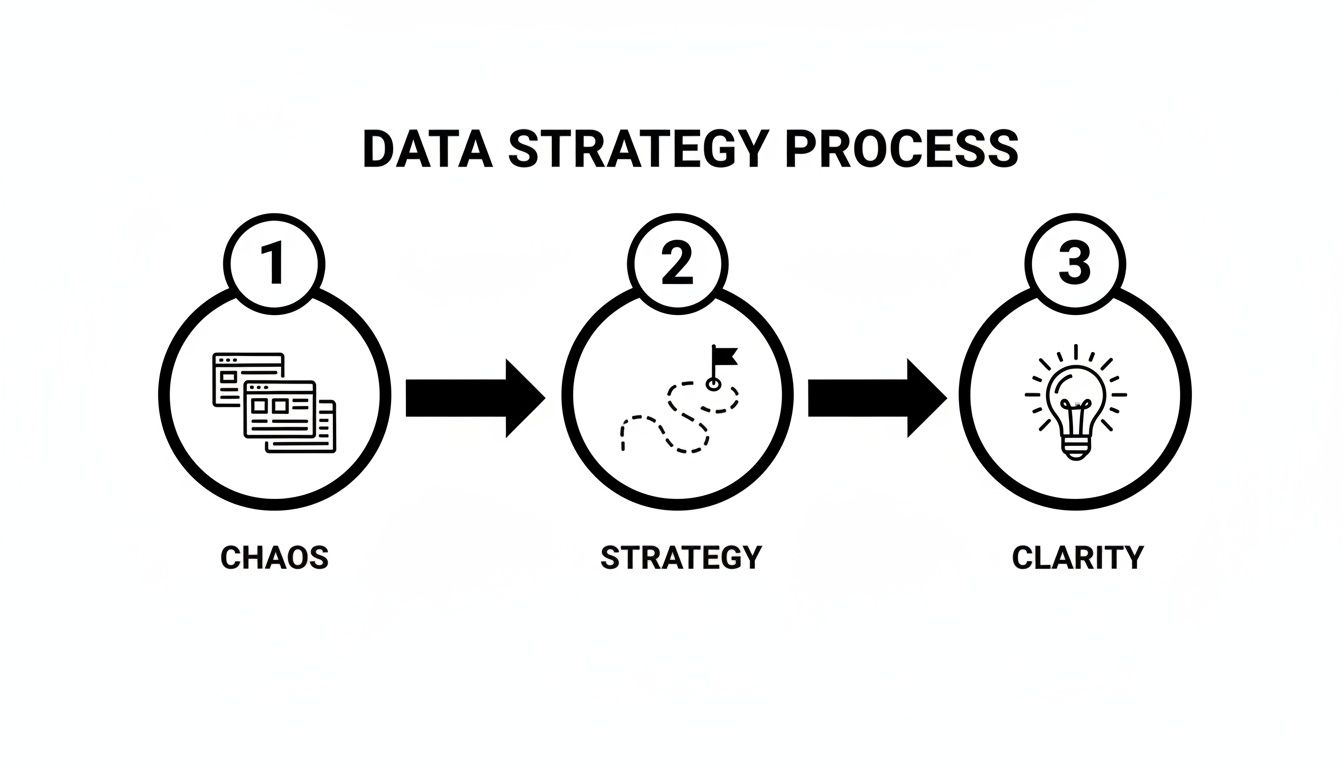
The strategy itself is the crucial bridge, turning all that raw, disconnected information into business intelligence you can actually use.
Let's look at some common frustrations and how a proper data strategy directly addresses them.
From Data Pain Points to Strategic Solutions
| Common Frustration | How a Data Strategy Solves It |
|---|---|
| "I spend hours every month manually pulling reports." | Automation. Establishes data pipelines that automatically collect, clean, and update your data and dashboards. |
| "I can't trust the numbers from different departments." | Single Source of Truth. Creates a centralised, unified data model that everyone in the company uses. |
| "We make big decisions based on gut feel." | Data-Driven Culture. Provides accessible, reliable dashboards that empower teams to base decisions on facts. |
| "I don't know which customers are truly profitable." | Integrated Views. Blends data from sales, finance, and operations to deliver a complete picture of profitability. |
Getting this right isn't just about internal efficiency; it's a massive competitive advantage. The global analytics market was valued at USD 6.95 billion in 2024 and is projected to hit USD 15.22 billion by 2032. This explosive growth signals a clear trend: data is the lifeblood of modern business, no matter the size.
A great data strategy doesn't start with technology. It starts with a simple question: "What decision would I make if I had the perfect information?" Answering this aligns every subsequent action—from data collection to dashboard design—with real-world business value.
This guide will walk you through the practical, no-fluff steps to build an analytics data strategy that’s right for your SMB. We'll show you how to automate reporting, get your time back, and finally trust your numbers so you can scale with confidence.
Define Your Business Goals and Key Metrics
Before you lay a single brick for a house, you need the blueprint. It's the exact same logic for your analytics data strategy. A successful strategy never starts with picking tools or designing complex data architecture; it begins with straightforward, critical business questions.
What decisions would be easier if you had perfect information? How much time does your team waste pulling together a sales report that you hope is accurate? When you look at your P&L, can you honestly say you trust the numbers staring back at you? These aren't technical problems—they're the fundamental business pains a data strategy is built to solve.
Start with Your Business Pains
So many businesses fall into the trap of choosing a tool first, hoping it will magically fix their reporting chaos. That’s like buying a fancy hammer and expecting a house to appear. You have to work backward. Start by creating a "wishlist" of insights. Forget about the 'how' for a moment and just focus on the 'what'.
To really get to the heart of your biggest data frustrations, sit down with your leadership team and ask some pointed questions:
- Decision-Making: What’s the one decision we consistently put off because we can't get the right data in time?
- Efficiency: Which weekly or monthly report is a soul-crushing, manual-effort nightmare prone to human error?
- Alignment: Where do our finance and operations teams always seem to disagree on the numbers? (Think sales bookings vs. actual recognized revenue).
- Visibility: What critical part of our business feels like a complete 'black box' with zero real-time visibility?
The answers you get are the bedrock of your analytics strategy. They ensure every dashboard you build and every data source you connect is tied directly to a real, tangible business need.
A data strategy driven by business goals delivers value from day one. A strategy driven by technology alone often becomes an expensive, underused science project.
Translate Goals into Measurable KPIs
Once you have a clear picture of your business pains and objectives, the next move is to translate them into specific, measurable Key Performance Indicators (KPIs). KPIs are the vital signs of your business. They turn vague goals into concrete numbers you can actually track, analyze, and improve.
For instance, a high-level goal like "increase profitability" is far too broad to be useful. You have to break it down into actionable metrics your team can directly influence. As good management reporting best practices show, this is how you connect high-level strategy to daily operations.
Let’s see how this plays out for different business models:
- Goal: Improve cash flow for a professional services firm.
- KPIs: Days Sales Outstanding (DSO), cash conversion cycle, and project-level gross margin.
- Goal: Reduce customer churn for a subscription (SaaS) business.
- KPIs: Monthly Recurring Revenue (MRR) churn rate, Customer Lifetime Value (LTV), and Customer Acquisition Cost (CAC).
- Goal: Optimize inventory for an e-commerce retailer.
- KPIs: Inventory turnover ratio, stock-to-sales ratio, and average days to sell inventory.
Your Initial Insight Wishlist
The output from all this is a prioritized list of questions you need your data to answer. This 'insight wishlist' becomes the definitive guide for the next phases—building your data model and designing your reporting dashboards. It keeps you focused on creating reports that people will actually use to make better decisions.
This list isn't about capturing every metric under the sun. It's about identifying the vital few that will have the biggest impact on your business right now. That focused approach is the secret to getting early wins and building momentum for your entire analytics initiative.
Is your team ready to move beyond frustrating spreadsheets and gut-feel decisions? Book your free BI consultation with us, and we'll help you define the core metrics that will drive your business forward.
Build Your Single Source of Truth
Alright, you’ve defined your business goals and the KPIs that matter. Now comes the biggest hurdle I see with nearly every small and mid-sized business: data living in a dozen different places.
Sound familiar? Your financial data is tucked away in QuickBooks, all your sales activity is logged in a CRM like HubSpot, and critical operational metrics are scattered across a maze of spreadsheets. Trying to get a clear picture of what's really going on is next to impossible when your information is fragmented like this.
The answer is to create a single source of truth (SSOT). Don't let the jargon intimidate you. For an SMB, this isn't some monstrous, enterprise-level data warehouse. It's simply a unified, central data model that connects your separate systems. The goal? To make sure everyone—from sales to finance to operations—is looking at the same, reliable numbers for your cash flow reporting, forecasting models, and KPI dashboards.
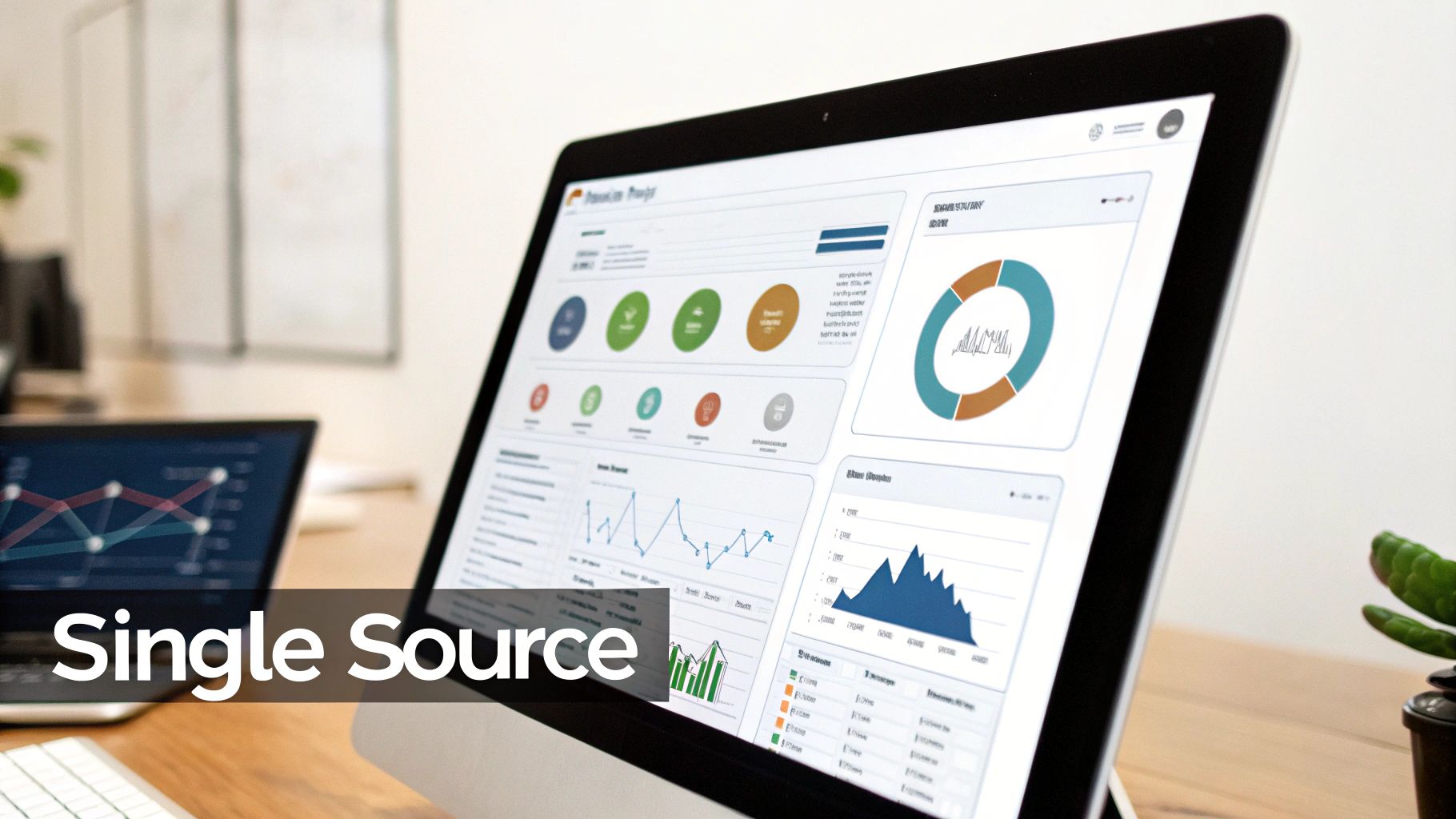
This central hub becomes the engine for all your reporting and analytics, often visualized through accessible tools like Power BI.
Identify and Map Your Core Data Sources
Building this unified view starts with a simple inventory check. You don't need to connect every last data point on day one. That's a recipe for getting bogged down. Instead, focus only on the high-impact sources that directly feed the KPIs you just defined.
For most SMBs, the starting lineup usually looks something like this:
- Financial System: QuickBooks Online, Xero, or whatever you use for accounting.
- CRM: HubSpot, Salesforce, or your main customer relationship tool.
- E-commerce/Payment Platform: Shopify, Stripe, or the system processing your sales.
- Operational Spreadsheets: The classic Excel or Google Sheets files tracking things like inventory, project hours, or ad spend.
Once you have your list, the real work begins: mapping how they all connect. Think of it like drawing lines between departments. A customer in your CRM needs to link to their order history in Shopify, which in turn needs to tie back to the revenue figures in QuickBooks.
This is how you finally get answers to the big questions, like, "What's our true, all-in profitability for this specific customer?" This initial mapping is the absolute foundation of a solid analytics strategy.
A single source of truth isn't just about putting data in one place; it's about creating business context. When you can see the entire customer journey—from the first marketing click to the final payment and any support tickets—all in one view, you unlock a completely new level of strategic insight.
The Importance of Simple Data Governance
As you start pulling data together, you absolutely must establish some basic rules of the road. "Data governance" sounds corporate and stuffy, but for a growing business, it just means making sure your data is clean, consistent, and trustworthy. If you skip this, you’re just building a centralized mess.
Good governance is a huge predictor of success. The global data analytics market is expected to hit USD 64.99 billion in 2024, but a shocking 60% of BI project failures trace back to bad data management. You can dodge these common bullets by putting a few simple practices in place from the get-go. Want to see how the big players are winning with data? Check out the full research on the data analytics market.
Start with these three practical steps:
- Define Key Metrics: Create a simple business glossary. What exactly is an "Active Customer"? How do you calculate "Gross Margin"? Write it down so everyone uses the same formula.
- Establish Ownership: Assign a clear owner to each data source. The sales manager is accountable for the CRM's accuracy. The finance lead owns the numbers from the accounting platform. No ambiguity.
- Set an Update Cadence: Document how often each source gets refreshed. Financials are probably updated monthly after the books close, but sales data should be pulled in daily.
These simple rules are your best defense against the "garbage in, garbage out" problem. They build trust in the numbers, ensuring the insights you pull from your unified model are actually reliable. For a deeper look, check out our guide on how to build a single source of truth for your business data.
This disciplined approach ensures your entire analytics strategy is built on solid ground, turning scattered data points into your most powerful decision-making asset.
Choose the Right Tools to Automate Your Reporting
You've defined your business goals and have a plan for creating a single source of truth. Now, it's time to build the engine that will actually run your automated reporting. For most small to mid-sized businesses, this means making the deliberate choice to move on from Excel.
Look, Excel is fantastic for quick, one-off analyses. But it completely falls apart when you need reliable, automated, and dynamic reporting that the whole team can trust.
If you're stuck in a cycle of exporting data, copying and pasting it into some monster spreadsheet, and manually fiddling with charts, you're not just wasting time—you're taking on a huge business risk. That process is a breeding ground for human error and guarantees your reports are stale the second you finish them. This is exactly where modern Business Intelligence (BI) tools come in.
Why Power BI Is a Game-Changer for SMBs
For a growing business, a tool like Power BI fundamentally changes how you interact with your data. It’s built to connect directly to all your different data sources—think QuickBooks, your CRM, your project management tool—and pull that information automatically into interactive dashboards. This transition from Excel to Power BI is a common and high-impact step in modernising your reporting.
This isn't about getting rid of every single spreadsheet. It's about automating the critical, high-stakes reporting that you and your team rely on to make important decisions. This automation is the absolute core of a successful analytics strategy.
The market for BI tools is exploding for a reason. The global business analytics market, a key part of any data strategy, hit USD 96.6 billion in 2024 and is on track to more than double by 2033. This isn't just hype; it's driven by the sheer volume of data businesses are generating. A telling insight comes from the finance sector, where 40% of firms reported a revenue jump of over 25% after adopting analytics. Moving beyond manual processes unlocks real value.
Excel vs. Power BI for SMB Reporting
Many SMBs get stuck in "the Excel trap" because it feels familiar. However, the move to a dedicated BI tool is less of a step and more of a leap forward in capability. Here's a direct comparison of why migrating from manual Excel reporting to an automated Power BI solution is so critical.
| Feature | Manual Excel Reporting | Automated Power BI Solution |
|---|---|---|
| Data Connection | Manual CSV exports, copy-paste from other systems. | Direct, live connections to dozens of data sources. |
| Data Updates | Requires manual refresh, re-running the entire process. | Scheduled, automatic refreshes (e.g., daily at 7 AM). |
| Error Potential | High risk of copy-paste errors, broken formulas. | Minimal. Data flows directly from the source. |
| Scalability | Struggles with large datasets, becomes slow. | Handles millions of rows of data with ease. |
| Interactivity | Static charts and tables. | Fully interactive, drill-down dashboards. |
| Collaboration | Emailing files, version control issues (v1, v2_final). | Secure, cloud-based sharing with controlled access. |
The table makes it pretty clear. While Excel has its place for scratchpad analysis, relying on it for core business reporting is like using a rowboat for trans-Atlantic shipping—it just wasn't built for the job. Power BI automates the tedious work so you can focus on what the data actually means.
Your Lean SMB BI Stack
You don’t need a massive, expensive suite of software to get started. An effective BI stack for an SMB is surprisingly lean and usually just has three key parts:
- Data Connectors: Think of these as built-in "plugs" that let your BI tool talk directly to your other software, like QuickBooks Online, Salesforce, or a simple SQL database. Good BI tools have a huge library of these ready to go.
- The BI Service (e.g., Power BI Service): This is the cloud-based command centre. It’s where your data models are stored, your reports get published, and you set your automatic refresh schedules.
- Interactive Dashboards: This is the final product—the visual, clickable reports your team uses to explore data and get answers. You design them once, and they update themselves forever.
If you need to move faster or require more advanced data visualization, you might consider bringing in experts. There are many firms that offer specialized reporting and analytics services to help build out your dashboards and architecture.
How to Create Your First Automated Report
Let's walk through a real-world example. Imagine you want to automate the manual sales report you currently build in Excel every Monday morning. Here’s how you’d do it in Power BI instead.
- Connect Your Sources: Inside Power BI Desktop, you'd use the built-in connectors to link directly to your QuickBooks Online for financial data and your CRM for sales pipeline info. No more CSV downloads.
- Model the Data: Next, you’d create a simple relationship between the two sources. For example, you’d link the "Customer Name" field from your CRM to the "Customer Name" in your sales invoices from QuickBooks. This creates a unified view.
- Build Your Visuals: Now the fun part. You drag and drop to create charts for your key metrics, like "Sales by Rep," "Pipeline Value," and "Revenue vs. Target."
- Publish and Schedule: Once the report looks good, you publish it to the Power BI Service. There, you set a refresh schedule—let's say, every morning at 7 AM.
The result? Every single day, your team logs in to a perfectly current sales dashboard. The data is trustworthy, the insights are immediate, and zero manual effort was spent updating it. This is the tangible, time-saving return you get from a solid data strategy.
Choosing the right platform is key to making this process easy, especially for a non-technical team. We've put together a detailed breakdown to help you explore your options. Check out our guide on comparing top business intelligence tools to see which one is the best fit for your business.
By picking the right tools, you aren't just buying software. You're buying back hundreds of hours and building a foundation for making truly data-driven decisions.
Launch Your Strategy and Drive Team Adoption
Let’s be honest. You can build the most elegant, automated dashboard in the world, but it delivers exactly zero business value if your team never opens it. The final, and arguably most critical, piece of your analytics data strategy is the human element. An insightful report gathering digital dust is just expensive shelfware; driving adoption is what turns all that hard work into a real business asset.
Success isn't about forcing a new tool on people. It's about showing them, in no uncertain terms, how it makes their work life better. When the sales team realizes a live Power BI dashboard means they no longer have to spend their Sunday night manually updating a pipeline spreadsheet, adoption happens on its own. The focus has to be on the outcome—less tedious admin, faster answers, and smarter decisions.
Start with a Pilot Project for a Quick Win
Forget a company-wide "big bang" launch. That approach is a recipe for overwhelming everyone and diluting your message. Instead, start small and focused. Pinpoint a single, high-impact area to pilot your new reporting. A weekly sales performance dashboard or a monthly financial summary are perfect candidates because their value is immediate and incredibly easy to demonstrate.
This pilot strategy accomplishes a few crucial things:
- It Delivers Fast Value: You solve a real, nagging problem for a specific team, and you do it quickly. This proves the concept's worth right out of the gate.
- It Builds Momentum: A successful pilot creates internal champions. These are the people who will naturally start advocating for the new system across the company.
- It Creates a Feedback Loop: You get to work out any kinks and refine the dashboards on a small, manageable scale before a wider rollout.
The real goal of a pilot isn't just to build a dashboard; it's to create a success story. When other departments see the sales team saving hours and hitting targets with better data, they'll be lining up to get their own automated reports.
Train for a New Way of Working
Effective training is not a generic software tutorial. It has to be about anchoring the new dashboards directly into your team's existing workflows and decision-making habits. The most effective way to do this is by framing the training around the "before and after" for each specific role. This is a practical application of organizational change management, guiding your team from old habits to new, more effective ones.
For example, you don't just show the operations manager how to use the new tool. You show them how they can now monitor inventory levels in real time to prevent stockouts, making their old, static weekly report obsolete. This problem-solution framing makes the benefits tangible and immediately clicks with people, which dramatically speeds up buy-in. It shifts the entire conversation from "learning new software" to "getting better answers, faster."
Your 30-60-90 Day Adoption Plan
Breaking the transition down into a manageable timeline is key. An adaptable plan splits the process into achievable phases, guiding you from the initial setup to full team adoption without causing chaos.
-
First 30 Days (Pilot and Refine):
- Launch your pilot project with a core group of users (like the sales or marketing team).
- Run targeted training sessions that focus entirely on how the new dashboard solves their specific pain points.
- Set up a direct feedback channel, like a dedicated Slack channel, to capture initial thoughts and requests for tweaks in real time.
-
Next 60 Days (Expand and Evangelize):
- Polish the pilot dashboard based on that initial user feedback and start showcasing the results to other department heads.
- Begin development on the next one or two high-priority dashboards for other teams, like finance or operations.
- Identify a "data champion" from the pilot team who can help train and support their own colleagues.
-
Next 90 Days (Embed and Scale):
- Make the dashboards a central part of key business rituals, like weekly leadership syncs or monthly performance reviews.
- Develop a simple "business glossary" or data dictionary to ensure everyone is speaking the same language and understands the metrics.
- Establish a regular rhythm for reviewing and improving all live dashboards, making sure they continue to evolve as the business does.
This phased rollout transforms what could be a disruptive project into a series of celebrated wins, embedding a data-driven culture one dashboard at a time.
Answering Your Toughest Analytics Strategy Questions
Even with a clear roadmap, the idea of building a proper analytics data strategy can feel daunting. I get it. It’s natural to wonder if it's too complex, too slow, or too technical for your team.
Let's tackle the most common concerns I hear from founders and operators who are ready to finally move from data chaos to strategic clarity.
"Is an Analytics Data Strategy Too Complex for a Small Business?"
Honestly? Not at all. For a small or medium-sized business, a data strategy isn't about buying eye-wateringly expensive enterprise software or hiring a huge data team. It’s about being smart and practical.
It all comes down to connecting the dots between the data you already have in systems like QuickBooks and your CRM, using accessible tools like Power BI.
The real cost isn't the investment in a strategy; it's the steep price of not having one. Just think about the hours your team burns pulling manual reports each month, or the cost of one bad decision made from gut feelings and faulty data. Those hidden costs almost always dwarf the investment needed to get it right. A lean, focused strategy often pays for itself surprisingly quickly.
"How Quickly Can We Actually See Results From This?"
You'll see tangible value much faster than you think. While a full, company-wide data transformation is a journey, a sharp, focused initial project can deliver game-changing results in just 30-60 days.
The key is to aim for a "quick win." This usually means targeting a single, high-pain, high-value area. A classic example is automating your main sales and financial KPI dashboard. Getting that one report right can immediately free up dozens of hours a month and give your leadership team the clear, reliable view they’ve been missing. From there, you just build on that success, one step at a time. It’s all about creating momentum.
"My Team Isn't Technical. How Will They Adapt?"
This is probably the most common—and most unfounded—fear I encounter. Modern BI tools are built for business users, not data scientists. Platforms like Power BI have intuitive, drag-and-drop interfaces that make exploring data feel natural for anyone, not just the analysts.
The secret to adoption isn't about the technology; it's about solving real-world problems. When you show your operations manager how a live inventory dashboard helps them prevent stockouts, or your head of marketing how they can see campaign ROI instantly without nagging anyone for a report, adoption happens on its own.
The goal is to empower your team with answers they can get themselves, not to burden them with a complex tool they'll ignore. It’s about making data a helpful, everyday resource for making their jobs easier and their decisions smarter.
"What Is the Best First Step I Can Take Right Now?"
The most powerful first step costs nothing and takes less than 30 minutes. Run a simple "pain audit" with your key team members. This little exercise cuts through the noise and gives you a crystal-clear, business-focused starting point for your entire strategy.
Just sit down and write out the answers to these three questions:
- The Unanswered Question: What is the single most important business question we consistently fail to answer because the data is too hard to get?
- The Manual Time-Sink: Which specific report eats up the most manual effort and time to create each week or month?
- The Perfect Dashboard: If you could wave a magic wand and have one perfect, always-updated dashboard, what critical metrics would be on it?
Your answers are the bedrock of your analytics strategy. They give you a prioritised list of what actually matters.
Once you have that clarity, you have the perfect launchpad. The next step is to map out how to turn that vision into a reality. The team at Vizule specialises in helping businesses like yours build practical, high-impact data strategies without the enterprise-level fuss.
Ready to automate your reporting and finally trust your data? Book a free discovery call with our BI consultants today.
