


Is your team drowning in spreadsheets? Are you spending more time exporting and cleaning data than actually using it to make decisions? If so, you're not just dealing with an inconvenience; you're facing a major operational bottleneck that’s holding your business back. Effective cloud migration planning isn't a complex IT project reserved for large corporations. For small and mid-sized businesses, it's the strategic roadmap to escape manual reporting chaos, centralise your data, and unlock powerful, automated insights with tools like Power BI.
When Do You Need a Cloud Migration Strategy?
If you're running a small or mid-sized business, "cloud migration" might sound like an overwhelming technical hurdle. But the need for a plan doesn't start with a server crashing—it begins with the everyday frustrations of running your business. The real trigger is realizing your current setup of disconnected spreadsheets and software is actively preventing you from scaling smartly.

So many founders and operators we talk to are completely overwhelmed by Excel. They burn hours every week just exporting data from different systems—the CRM, their accounting software, sales platforms—and mashing it all together for a single report. It's a slow, painful process that’s riddled with copy-paste errors and creates multiple "versions of the truth," leaving you unsure which numbers to trust.
The Tell-Tale Signs You've Outgrown Your Setup
This manual chaos is the biggest red flag. It’s a clear sign that your data is siloed, trapped in different applications instead of working together to give you a single, honest picture of your business performance.
Does any of this sound painfully familiar?
- Reporting is a Time Sink: Your team spends more time pulling data from QuickBooks, Salesforce, and Excel than actually analyzing it. Building a simple financial model or cash flow report is a multi-day project.
- You Don't Trust Your Numbers: Different reports show conflicting metrics, and you’re never 100% sure you're making decisions based on accurate, up-to-date data.
- Limited Access to Insights: Getting answers to basic performance questions is a huge manual lift, which means you can’t spot trends, align finance and ops, or fix problems quickly.
- You Can't Scale: As the business grows, the reporting burden becomes completely unmanageable. Your systems just can't handle the data volume anymore.
A cloud migration isn't about chasing the latest tech fad. For an SMB, it’s a direct response to these operational bottlenecks. It’s the foundational step to automating your reporting and finally getting that single source of truth for the entire business.
It's a Business Move, Not Just a Tech Upgrade
Making this switch is fast becoming the standard for any business that wants to grow. Cloud adoption is practically universal now. A staggering 83% of mid-sized businesses have already moved over half of their workloads to the cloud. Even among small businesses, 61% now run more than 40% of their operations in the cloud, a clear signal that on-premise systems are on their way out. You can dig into these cloud adoption statistics to see just how fast this trend is moving.
Ultimately, cloud migration planning is about connecting the dots between your operational headaches and a strategic solution. It’s the bridge that takes you from Excel chaos to the automated, reliable business intelligence you need to scale confidently. By centralizing your data in a modern data warehouse, you lay the groundwork for tools like Power BI to automate financial reporting and deliver the insights you need to lead.
Ready to move from data chaos to data clarity? Book your free BI consultation with a Vizule expert to see how a tailored cloud strategy can transform your reporting.
Building Your Cloud Migration Roadmap
A successful move to the cloud doesn't just happen. It's the result of a deliberate, well-thought-out plan. You wouldn't build a house without a blueprint, and you shouldn't start shifting your critical systems without a clear roadmap. This plan is what connects your technical execution to your core business goals, making sure the entire effort actually solves real-world problems like siloed data and manual reporting.
The process kicks off with a simple but crucial question: what are we working with right now? This means taking a detailed inventory of your current landscape—every important application, data source, and workflow that keeps your business running. You have to understand which systems talk to each other and which ones are absolutely essential for your day-to-day operations.
Setting Clear Business Objectives
Once you know your starting point, you need to define the destination. Your migration goals shouldn't be framed as just IT projects; they need to be business outcomes.
Are you trying to slash the time it takes to run manual financial reports from days down to minutes? Is the main objective to finally trust your cash flow forecasting model? Or is it to unlock predictive insights with Power BI by creating a single, reliable source of data?
Defining these objectives helps you prioritize what moves first. For example, if automating those painful financial reports is your top priority, migrating your accounting software (like QuickBooks) and CRM data (like HubSpot or Salesforce) becomes the obvious first step.
This infographic lays out the foundational flow for piecing together your cloud strategy.
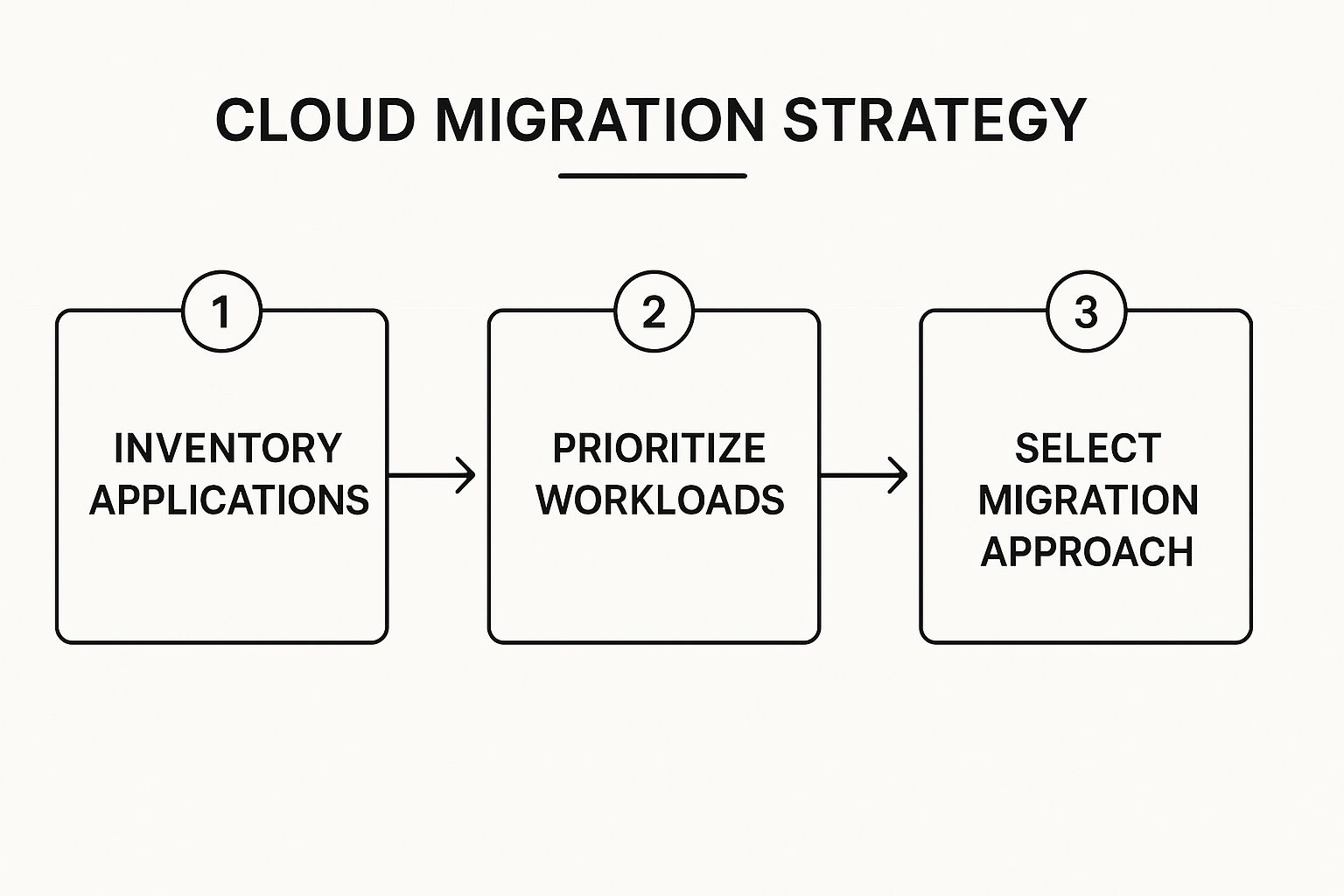
As you can see, a solid plan is built in stages, starting with a clear inventory before you even think about priorities and technical approaches.
Understanding Your Migration Options: The 6 R's
With your inventory and goals locked in, the next big decision is how you're going to move each piece of your digital puzzle. This is where the industry-standard "6 R's" of migration come into play. Let's skip the jargon and look at them from a practical, small business perspective.
- Rehost (Lift and Shift): This is the most straightforward approach. You're basically picking up an application from your on-premise server and dropping it onto a cloud server with minimal changes. Think of it like moving your filing cabinet from your office to a secure storage unit. It's fast, but you aren't really getting many new cloud-native benefits for automation or BI.
- Replatform (Lift and Tweak): Here, you make a few smart adjustments to your application to take better advantage of the cloud environment. For instance, you might move your database to a managed cloud database service. This can boost performance and cut down on maintenance, all without having to rewrite the entire application.
- Refactor/Rearchitect: This is the most involved strategy. You're significantly modifying or even rebuilding an application to be fully "cloud-native." You'd reserve this for a critical, custom-built application where you need to maximize scalability and efficiency. It’s a bigger investment upfront, but it pays the biggest dividends for your core systems, especially for building a modern data stack.
For most small and mid-sized businesses, the best approach is a mix. You might rehost older, less critical applications to get them into the cloud quickly. Then, you can focus on refactoring your most important systems—like your data pipeline for Power BI—to unlock true business intelligence.
There are also three "R's" that are about deciding not to move something, which is just as important:
- Retire: You identify applications that are no longer being used and simply decommission them. This saves money and reduces complexity. Easy win.
- Retain: Some systems might need to stay on-premise for now, maybe due to compliance rules or specific technical dependencies. That's perfectly fine.
- Repurchase: This is where you switch from a self-hosted application to a SaaS (Software-as-a-Service) product. A classic example is moving from a clunky, custom-built CRM to a platform like Salesforce.
Choosing the right "R" for each application is a cornerstone of your migration plan. These decisions will directly impact your budget, your timeline, and the ultimate ROI of the entire project. For a deeper dive into structuring these choices, you can explore our detailed guide on how to create a cloud migration plan. Think of this roadmap as your blueprint for turning a complex technical project into a strategic business victory.
Choosing the Right Cloud Platform and Tools
Once you’ve got a roadmap, the next big question is: where do we actually go? Staring at the logos for Amazon Web Services (AWS), Microsoft Azure, and Google Cloud Platform (GCP) can feel overwhelming if you're not a technical expert.
What does matter to a business owner is finding the right home for your data—a place that aligns with your goals. For most of the SMBs we work with, the decision really boils down to three things: cost, scalability, and how well it plays with the business intelligence tools you already use, or plan to use, like Power BI.
The Big Three Cloud Providers Decoded for SMBs
Let’s cut through the noise. While each of the major cloud providers is incredibly powerful, one usually emerges as the natural choice depending on your existing tech ecosystem.
- Microsoft Azure: If your business already runs on Microsoft 365 and you plan to make Power BI the heart of your reporting, Azure is almost always the path of least resistance. The integration is completely seamless, which makes connecting your data and getting KPI dashboards up and running much, much simpler.
- Amazon Web Services (AWS): As the original and largest player, AWS offers the most exhaustive list of services imaginable. It's a rock-solid, reliable choice, but that sheer number of options can sometimes make it a bit more complex for non-technical teams to get their heads around.
- Google Cloud Platform (GCP): Google's real strength shines in data analytics and machine learning. If your long-term vision involves asking really advanced questions of your data, GCP is a formidable contender, known for its top-tier performance with data-heavy workloads.
To make this even clearer, here's a quick cheat sheet comparing the big three from an SMB perspective.
Comparing Top Cloud Providers for SMBs
This table breaks down the essentials for small to medium-sized businesses looking to make a smart choice without getting lost in the technical weeds.
| Provider | Best For | Pricing Model | Power BI Integration |
|---|---|---|---|
| Microsoft Azure | Businesses already in the Microsoft ecosystem (Office 365, etc.). | Pay-as-you-go, with reserved instances for savings. | Native and seamless. The tightest integration available. |
| Amazon Web Services (AWS) | Companies needing the widest range of services and maximum flexibility. | Pay-as-you-go, with various savings plans and a generous free tier. | Strong. Connects well, but requires more configuration than Azure. |
| Google Cloud Platform (GCP) | Businesses focused on advanced analytics, AI, and machine learning. | Pay-as-you-go, with sustained use discounts. | Good. Solid connectors are available, but not as native as Azure. |
Ultimately, this comparison highlights that the "best" platform is the one that fits your specific situation, especially when it comes to integrating with key tools like Power BI.
The goal isn't to pick the "most powerful" platform. It’s about selecting the one that best supports your primary objective, whether that's automating financial reports in Power BI today or building a foundation for data science projects tomorrow.
Beyond the Platform: Assembling Your Modern Data Stack
Picking a cloud provider is just the first step. To truly escape the chaos of spreadsheets, you need a couple more key pieces to build a modern, automated data stack. Think of these as the foundation and plumbing for your new, data-driven headquarters. The two most critical components are a data warehouse and an ETL tool.
-
A Central Hub for Your Data: A data warehouse is a central database built specifically for analytics and reporting. Instead of pulling data from ten different spreadsheets every time you need a report, all your information—finance, sales, marketing, operations—gets cleaned, organized, and stored in one spot. Popular choices for SMBs include Snowflake, BigQuery (GCP's own), and Azure Synapse. This "single source of truth" is what makes reliable, real-time dashboards in Power BI possible. If you want to dig deeper into how this works, our guide on the differences between a data warehouse vs. a data lake breaks it down.
-
Putting Your Data Pipelines on Autopilot: An ETL (Extract, Transform, Load) tool is what automates the grunt work. It’s the engine that pulls data from all your sources (like QuickBooks or your CRM), cleans it up, and loads it into your data warehouse. This is the magic that eliminates manual exporting and copy-pasting forever. Tools like Fivetran or Stitch are designed for this, offering pre-built connectors for hundreds of common business apps.
When you combine the right cloud platform with a solid data warehouse and an ETL tool, you create a hands-free system. It automatically feeds clean, trustworthy data straight into your Power BI reports. This isn't just a technical upgrade; it’s a fundamental shift that frees your team to focus on making smart, insight-led decisions that actually grow the business.
Feeling unsure about which tools fit your specific needs? Connect with us to design your financial dashboard in Power BI and let our experts map out the perfect data stack for your business.
How to Manage Cloud Costs and Maximize ROI
One of the biggest selling points of the cloud is efficiency, but that promise can quickly evaporate into surprisingly high bills if you're not careful. Without a deliberate approach to cloud financial management (often called FinOps), costs can spiral. The key is to stop thinking of your cloud spend as just another IT expense and start treating it as a core part of your company's financial model.

This requires a fundamental shift in mindset. Back when you managed on-premise servers, you were dealing with capital expenses (CapEx)—big, upfront hardware purchases. The cloud flips that on its head, running on an operational expense (OpEx) model where you pay as you go. While this gives you incredible flexibility, it makes forecasting and budgeting a completely different ballgame.
And the scale of this spending is immense. Global investment in public cloud services hit a staggering $90.9 billion in the first quarter of 2025 alone, a 21% jump from the previous year. It's not just a big enterprise game, either; 54% of SMBs are now spending over $1.2 million a year on the cloud. You can learn more about the staggering growth of cloud infrastructure spending to see just how critical this is.
Forecasting and Budgeting in the Cloud
Predicting your cloud spend starts with deeply understanding your usage patterns. You can’t just set a flat monthly budget and hope for the best. Instead, you need to build a driver-based forecast that directly connects your business activity to your cloud consumption.
Think of it like this: if your e-commerce site sees traffic double during the holidays, your cloud costs for hosting and data processing will naturally spike. Your financial model has to account for that relationship.
Here are a few practical ways to get a handle on costs:
- Tag Everything: Be diligent about your tagging strategy for all cloud resources. Assign labels based on the department, project, or even the specific feature a resource supports. This gives you granular visibility into where every dollar is going.
- Set Up Billing Alerts: Don't wait for the end-of-month invoice shock. Every major cloud provider lets you set up alerts that fire off a notification when spending for a service or project blows past a threshold you define.
- Use Forecasting Tools: Dig into the native cost management tools within AWS, Azure, or GCP. These platforms have surprisingly powerful forecasting features that analyze your past usage to predict future bills.
The point of cloud budgeting isn't to stifle growth; it's to make sure your spending is both efficient and predictable. A well-managed cloud budget means you're investing in resources that directly drive business value, not just lighting money on fire with idle infrastructure.
Practical Tips for Ongoing Cost Optimization
Once your budget is in place, the work is far from over. Cost optimization is a continuous process—a hunt for efficiencies and a war on waste. Small, consistent tweaks can add up to massive savings over time.
For an SMB, a few key strategies deliver the biggest bang for your buck without needing a dedicated FinOps team. Start with the low-hanging fruit.
- Right-Size Your Instances: It’s incredibly common for teams to over-provision their cloud servers, paying for more computing power than they actually need. Make it a regular habit to review your utilization metrics and downsize any instances that are consistently underused.
- Automate Your Shutdowns: Are your development and testing environments running 24/7? They absolutely shouldn't be. Use simple scripts or built-in services to automatically shut down non-production resources outside of business hours. This one step can slash costs for those environments by over 70%.
- Leverage Reserved Instances or Savings Plans: If you have predictable, long-term workloads, commit to a one or three-year term with your cloud provider. In exchange for that commitment, you can lock in discounts of up to 75% compared to on-demand pricing.
By actively managing your cloud finances, you ensure your migration actually delivers a strong, measurable return on investment. This approach transforms your data infrastructure from a mysterious cost center into a powerful, efficient engine for growth.
Struggling to get a clear picture of your cloud ROI? See how Vizule can help automate your reporting stack and connect your cloud spend directly to business performance.
Executing Your Migration: From Plan to Action
Alright, you’ve done the hard work of creating your roadmap and picking your tools. Now it's time to shift gears from planning to doing. A successful migration isn’t about flipping some giant switch and hoping for the best. It's a carefully phased process designed to minimize risk, build momentum, and keep your daily operations running without a single hiccup.
The big temptation is to go all-in at once, but that's a recipe for chaos. The smart move? Start small with a pilot project. This is your chance to test your assumptions, fine-tune your process, and score an early win that gets everyone on board.
Launching Your Pilot Project
Your first move should be to pick a workload that’s high-impact but low-risk. Think about a process that’s a major source of frustration right now but isn't so critical that a temporary glitch would bring the business to its knees. For many small and medium-sized businesses, automating a specific financial or sales report is the perfect candidate.
Starting here lets you:
- Validate your toolchain: Make sure your chosen ETL tools, data warehouse, and Power BI connections are all playing nicely together.
- Refine the workflow: You can work out the kinks in your data transformation and testing on a small, manageable scale.
- Demonstrate immediate value: Nothing gets stakeholder buy-in faster than delivering an automated dashboard that replaces hours of manual work. It's a powerful and visible win.
This pilot is your real-world dress rehearsal. It gives your team hands-on experience before you start tackling the more complex, mission-critical systems. To really nail the execution, it helps to understand the mechanics behind different migration approaches. Resources on AWS Migration and Transfer Strategies can offer deeper insights into these plans.
Securing and Testing Your Data
As you start moving data, security and integrity need to be your top priorities. This isn't just a box-ticking exercise; you're protecting your company's most valuable asset. During the transfer, all data must be encrypted both in transit (while it's moving over the network) and at rest (once it's stored in the cloud).
A rigorous testing plan is just as important. Before you even think about switching off the old system, you have to be absolutely certain the new one is producing the right numbers. This means:
- Data Validation: Run reports from both the old and new systems side-by-side. Hunt for any discrepancies, no matter how small.
- Performance Testing: Make sure your new cloud-based dashboards are fast and responsive, especially under a heavy load.
- User Acceptance Testing (UAT): Get your key team members—the people who will actually use these reports every day—to test the new setup and give it their seal of approval.
A common mistake is to rush the testing phase. Treat it with the same seriousness as the migration itself. Your team's trust in the new system is built on the belief that the data is 100% accurate.
This meticulous approach is the foundation for building effective, automated reporting. For a closer look at the mechanics behind this, you can learn more about how to build a modern data pipeline in our detailed guide.
Life After the Cutover
The final "cutover"—when you officially switch to the new cloud environment—is a huge milestone, but it’s not the end of the road. Those first few weeks are a critical period for monitoring performance, gathering feedback, and fine-tuning your new setup.
This post-migration phase is all about continuous improvement. The cloud migration market is exploding, projected to climb from $232.51 billion in 2024 to $806.41 billion by 2029. A huge driver for this is the demand for AI workloads that require the kind of elastic computing power only the cloud offers. While you may not be deploying AI today, this just shows the incredible potential you've unlocked for the future.
Now, you can finally empower your team with dynamic Power BI dashboards and start asking strategic questions instead of just compiling data. A smooth execution doesn't just move your data; it transforms how your entire business operates.
Your Cloud Migration Questions Answered

Even with the best roadmap, making the move to the cloud can feel like a huge leap. It's totally normal for founders and operators to have nagging questions about timelines, security, and where things can go wrong. Let’s tackle some of the most common questions we hear from businesses just like yours.
How Long Does a Cloud Migration Take for an SMB?
This is always one of the first questions, and the honest answer is: it depends on the complexity of your current setup. There's no one-size-fits-all timeline.
For a smaller business with just a handful of web apps and clean, well-organized data, you might be looking at 2-4 months. But if you're a medium-sized company with years of data tangled up in old, legacy systems and messy spreadsheets, the project could easily stretch to 6-12 months.
At Vizule, we never recommend a "big bang" cutover. Instead, we identify a high-impact, low-risk starting point, like automating your financial reporting stack from Excel to Power BI. This approach delivers a tangible win fast—often in just a few weeks—and builds the momentum and confidence needed for the bigger, more complex parts of the migration.
Is the Cloud Secure Enough for Our Financial Data?
Absolutely. In fact, when it's architected correctly, a cloud environment is almost always more secure than a server running in an office closet.
Think about it: major providers like AWS, Azure, and Google Cloud spend billions every year on their infrastructure, security certifications, and hiring the best experts on the planet. Their entire business model hinges on protecting customer data at a scale that's simply out of reach for most SMBs.
The real question isn't about the cloud itself, but the architecture. A well-designed cloud setup that uses best practices for encryption, multi-factor authentication, and strict access controls is one of the most secure places you can put sensitive business data.
What Is the Biggest Mistake SMBs Make?
The single biggest pitfall we see is treating the migration like a purely technical, IT-led project. It's not. It’s a strategic business move designed to solve a specific commercial pain point.
Too many businesses get caught in the "lift and shift" trap. They just copy their existing servers and processes over to the cloud without asking why they're doing it in the first place. This almost always leads to surprisingly high costs and completely misses the real opportunity to automate manual reports and build a single source of truth.
A successful cloud migration planning process starts with business goals, not server specs. Define what you want to achieve first, like "automate our weekly sales vs. forecast dashboard in Power BI." That way, the cloud architecture is built from the ground up to solve a real business problem and deliver a clear, measurable return.
Do I Need a Full-Time IT Person to Manage the Cloud?
Not necessarily. For many growing businesses, it's actually not the most cost-effective path. Managing a cloud environment properly requires a very specific and constantly evolving skill set—you need expertise in architecture, security, cost optimization (FinOps), and data engineering all at once.
Trying to hire for all those roles is a huge investment. A much more practical approach for most SMBs is to partner with a specialist consultancy. This gives you on-demand access to a whole team of experts for strategy and hands-on help, right when you need it. This model lets your team focus on what they do best: using data to make smarter decisions and grow the business. You leave the technical heavy lifting of keeping your data infrastructure running smoothly and efficiently to your expert partner.
Ready to stop wrestling with spreadsheets and start making data-driven decisions with confidence? Vizule can help you design and execute a cloud migration strategy that automates your reporting and unlocks the insights you need to scale.
Book your free BI consultation with our experts today and see how we can connect the dots in your data.


