


It often starts with that sinking feeling every founder knows: you're looking at a financial report showing record profits, but a quick glance at the bank account tells a completely different story. That disconnect is usually the first red flag signaling a much deeper, more expensive problem—a data quality issue.
In simple terms, bad data is any information that’s inaccurate, incomplete, or inconsistent. For a small or medium-sized business, this isn't just a technical glitch; it's a direct threat to your bottom line. The result? Flawed strategies, misguided decisions, and a ton of missed opportunities.
Why You Can't Trust Your Numbers
For many SMB operators and founders, "data quality" sounds like a problem for the IT department to sort out. The reality is, it’s a critical business risk that hits your bottom line directly. Trying to scale a business on bad data is like building a house on a shaky foundation. It might look fine for a while, but sooner or later, the cracks will start to show.

Flawed data chips away at the most valuable asset any leader has: confidence. It leads to wasted marketing budgets, wildly inaccurate financial forecasts, and operational chaos that drains time and energy. This isn't just a minor headache; studies show that the average annual cost of poor data quality for organizations is a staggering $12.9 million.
The Five Pillars of Trustworthy Data
To really trust your data, it needs to stand firm on five core principles. Think of them as the pillars holding up all of your business intelligence and reporting.
- Accurate: Does the data reflect what’s actually happening? (e.g., Are your sales figures from your CRM spot on?)
- Complete: Are there big, gaping holes in your information? (e.g., Do customer records have missing contact details?)
- Consistent: Is your data uniform across every system you use? (e.g., Is "New York" entered as "NY," "New York," or "N.Y."?)
- Timely: Is the data there when you actually need it to make a decision? (e.g., Do month-end reports land on the 1st or the 15th?)
- Valid: Does the data follow your own business rules? (e.g., Is every single order tied to a legitimate customer ID?)
When your data stumbles on any of these points, it plants seeds of doubt. It forces your team to fall back on guesswork and gut feelings instead of hard facts. The goal here is to get out of spreadsheet chaos and into a centralized system where everyone is reading from the same playbook.
Getting to the root of the problem usually means building a reliable data infrastructure from the ground up. Taking a moment to understand the hazards of poor infrastructure and untrustworthy data really drives home why a solid foundation is non-negotiable for growth.
This guide is designed to help you, as a non-technical leader, diagnose these hidden data issues. We’ll walk you through how to build that foundation of trust in your numbers by creating a single source of truth for your data, turning your reporting from a constant liability into your greatest strategic asset.
Recognizing Bad Data in Your Daily Operations
The idea of "bad data" can feel a bit abstract, a technical problem for someone else to worry about. But the reality is, you're probably seeing the consequences every single day. It shows up as annoying roadblocks in your spreadsheets, CRM, and financial reports.
Learning to spot these issues is the first step. Think of it like a self-diagnosis for your company's information systems. Once you can name the problem, you can start to understand its true impact.
The Five Common Types of Data Errors
For most businesses, data problems pop up in five distinct ways. Each creates a different kind of operational headache, from embarrassing marketing mistakes to completely skewed financial forecasts.
Let's break down what these actually look like in the wild.
-
Inaccurate Data: This is information that is just plain wrong. Imagine launching a targeted marketing campaign for a new product, only to find out that 30% of your customer location data is outdated. You've just wasted a huge chunk of your marketing spend, all because the foundational data was inaccurate.
-
Incomplete Data: These are the frustrating gaps in your records. A classic example is a customer database where half the entries are missing phone numbers or email addresses. It makes follow-ups and proactive customer service nearly impossible.
-
Inconsistent Data: This happens when the same piece of information is recorded differently across your systems. Your sales team might log a new client in the CRM as being from the "USA," but your accounting software lists them under "United States." That small difference is enough to break automated reports and prevent you from getting a single, clear view of your customer base.
-
Duplicate Data: This is an incredibly common issue where one person or company exists multiple times in your system. "Jane Smith" might appear three separate times because of minor variations in her name or email. When you go to run a sales report, her purchases get counted three times, leading to inflated revenue figures and flawed inventory planning.
-
Untimely Data: This is data that arrives too late to be of any use. If your monthly performance reports don't land on your desk until the 15th of the following month, you’re making critical decisions based on stale information. The data might be correct, but its delay makes it irrelevant.
To help you connect these concepts to your own operations, here’s a quick-reference table showing how these common errors translate into real-world business problems.
| Issue Type | Example in Your Data | Business Consequence |
|---|---|---|
| Inaccurate | Customer addresses are outdated or have typos. | Wasted marketing spend; shipments sent to the wrong location. |
| Incomplete | Contact records are missing phone numbers or emails. | Lost sales opportunities; inability to follow up with leads. |
| Inconsistent | State is listed as "CA" in one system and "California" in another. | Broken reports; inability to analyze regional performance accurately. |
| Duplicate | The same customer exists twice with slightly different names. | Skewed sales numbers; poor customer experience from multiple reps. |
| Untimely | Sales data from last month isn't available until mid-month. | Poor strategic decisions based on outdated information. |
This table illustrates how seemingly small data issues can quickly snowball into significant operational and financial challenges for any business.
The real danger here is that these problems rarely happen in isolation. A single duplicate record is often also incomplete and inconsistent with other entries. This compounding effect is what turns small spreadsheet annoyances into systemic business risks that get in the way of your ability to grow.
Fixing these problems involves more than just a one-off cleanup project. To build a sustainable process, check out our guide on essential data cleansing techniques to create a much stronger foundation for your business.
How Bad Data Spreads Through Your Business
A data quality issue rarely explodes into a company-wide crisis overnight. It almost always begins with something small and seemingly harmless—a single typo in a customer record, a sales lead logged differently in two systems, or an outdated phone number that never gets fixed.
But these tiny errors are like seeds. Left unchecked, they sprout and spread, silently corrupting your entire data ecosystem. What starts as a minor annoyance quickly compounds into a systemic problem, undermining the very decisions you rely on to run your business.
This visualization sums up a few common ways data becomes unreliable.
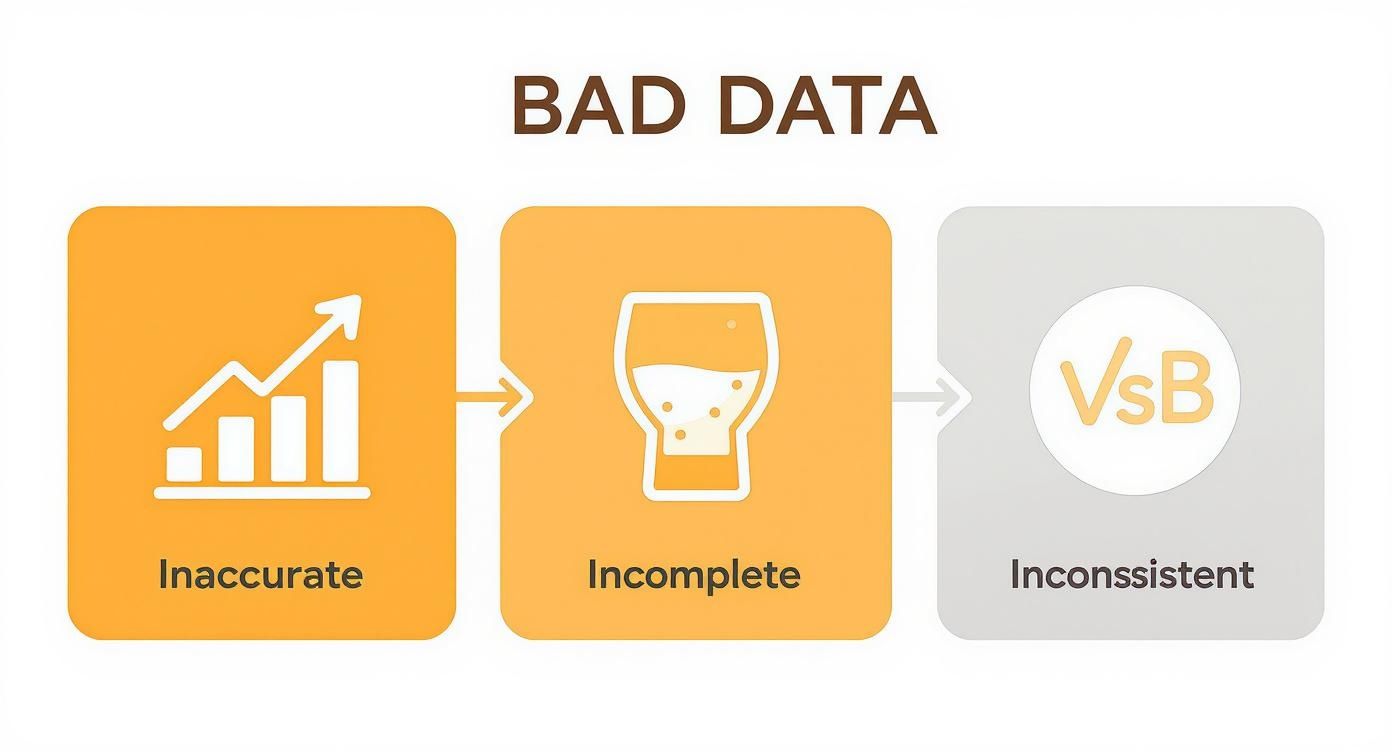
Each type of error introduces another layer of doubt, forcing your team to question the validity of your core business reports. When trust in the data is gone, everything slows down.
The Most Common Culprits
Understanding the root causes is the first step. It helps you see that bad data isn’t a moral failing of your team; it’s a natural symptom of a growing business that hasn't put a solid data strategy in place. Most issues actually trace back to just a few common sources.
-
Manual Data Entry: Every time a human types information into a system—whether it’s Excel, your CRM, or accounting software—there's a risk of error. A simple typo can create a duplicate customer record or assign revenue to the wrong sales region, completely skewing your performance metrics.
-
Siloed Systems: Your business probably runs on multiple platforms that don't speak the same language. Your CRM holds customer data, your accounting software tracks invoices, and your marketing platform manages leads. Without a proper connection, you end up with inconsistent and conflicting information across the board. Building an effective system to connect these platforms is crucial; you can learn more by exploring our guide on how to build a data pipeline.
-
Inconsistent Definitions: Does your sales team define a 'qualified lead' the same way your marketing team does? If the answer is no (or "I'm not sure"), you're creating a data quality issue. When teams operate with different rulebooks for key metrics, it becomes impossible to get a clear, unified view of your business performance.
-
Natural Data Decay: Information simply gets old. Customers move, change email addresses, or switch jobs. It’s a natural process. Over time, your once-pristine customer list becomes less and less accurate, a process known as data decay.
The core problem is that a staggering 67% of business leaders report they do not fully trust their organization's data for decision-making. This widespread mistrust is often linked directly to factors like inconsistent data definitions and a lack of automation, which allows all those small errors to multiply. You can read the full research on why data quality remains a top challenge for businesses.
These issues don't just stay put. An error originating in your CRM can cascade into your financial forecasts, leading to poor budgeting decisions. An inconsistent metric can create friction between sales and marketing teams, damaging alignment. Before you know it, your entire reporting structure is resting on a shaky foundation of unreliable information.
Calculating the Financial Impact of Bad Data
It's easy to think of a data quality issue as a background annoyance, something to fix when you have time. But the reality is, its impact is hitting your bottom line right now. Let's move beyond abstract ideas and translate "bad data" into the only language that really matters to a founder: money. Ignoring data quality isn't saving you a thing; it's an active, and often substantial, cost that’s just hidden from plain view.

These costs aren't just theoretical, either. Research shows a startling number of businesses don't systematically measure their data quality—a gap that leads to serious financial bleeding. According to Gartner, the average annual cost of poor data quality has ballooned to $12.9 million globally. That money vanishes through inefficiencies, bad calls, and opportunities that simply evaporate. You can discover more about these findings and proven improvement methodologies.
Quantifying Tangible Losses
The easiest costs to spot are the tangible ones. These are the direct, measurable expenses that pop up when you act on flawed information—the losses you can literally see on your monthly financial statements.
-
Wasted Marketing Spend: Launching a marketing campaign using a customer list riddled with typos, wrong addresses, or bad demographic data is the digital equivalent of setting a pile of cash on fire. Every dollar spent trying to reach the wrong person is gone forever.
-
Operational Inefficiency: Just think about the hours your team sinks into manually fixing errors in spreadsheets, trying to make sense of reports that don't match, or playing detective to find the source of a discrepancy. That's valuable time stolen from growth-focused work.
-
Compliance Risks: Inaccurate financial or operational data is a fast track to compliance failures, which can mean hefty fines or penalties. Keeping clean, auditable records isn't just good practice; it's a financial shield.
The Hidden Costs of Missed Opportunities
Harder to pin down, but often far more destructive, are the intangible costs. These are the massive opportunities you completely miss because your data is pointing you in the wrong direction. Bad data doesn't just cost you money today; it actively prevents you from making more money tomorrow.
The greatest danger of a data quality issue isn’t the budget you waste; it’s the flawed strategic decisions you make with complete confidence.
For instance, inconsistent sales data might be hiding your most profitable customer segment, causing you to pour resources into the wrong places. In the same way, flawed historical data can throw your financial projections completely off course, leading to terrible inventory investments or unexpected cash flow crunches.
When you can't trust your numbers, you can't possibly understand what truly drives your business. Learning how to calculate forecast accuracy is a crucial first step, but it's only useful if the data you're feeding it is reliable.
Ultimately, every business decision is a bet. High-quality data stacks the odds firmly in your favour. Bad data forces you to gamble blindly—a risk no scaling business can afford to take.
A Practical Framework for Data Clarity
Staring down a persistent data quality issue can feel like you're trying to fix a leaky boat with a teacup. You know there’s a problem, but every manual fix is temporary and, frankly, exhausting.
The good news? Restoring clarity and trust in your numbers doesn't require a massive, multi-year overhaul. For most businesses, the answer is a straightforward, three-step framework that turns data chaos into a genuine strategic asset. It's about moving away from endless spreadsheet firefighting and building a solid foundation that stops bad data at the source.
Step 1: Consolidate Your Data
First things first: stop the fragmentation. Most data quality headaches in growing businesses come from having critical information scattered across dozens of disconnected Excel files, your CRM, and maybe your accounting software. Each system acts like its own little island, making a single, unified view impossible.
Consolidation means pulling all these scattered sources into one central hub. This "single source of truth" is often built within a Power BI model. Instead of copying and pasting data between files—a process begging for manual errors—you create a direct, live connection to each data source. Now, everyone from finance to sales is looking at the exact same numbers.
Step 2: Automate Your Processes
With your data in one place, the next move is to cut out the manual labour that breeds mistakes. Automation is the engine that drives reliable reporting. Using tools like Power Query within Power BI, you can build repeatable, automated workflows for cleaning and transforming your data.
This is where the magic really happens.
- Standardise Inconsistent Data: You can set rules to automatically fix inconsistencies, like turning "USA," "U.S.A.," and "United States" into a single, standard format.
- Remove Duplicates: Let the system identify and flag duplicate customer records or sales entries before they ever have a chance to skew your reports.
- Schedule Refreshes: Your reports and dashboards can update automatically—daily, hourly, whatever you need. The era of waiting weeks for month-end reports is officially over.
By automating these tedious tasks, you don’t just save hundreds of hours. You create a system that is inherently more accurate. The process becomes predictable, reliable, and free from the daily risk of human error.
To truly get to the root of the problem, it helps to explore more comprehensive strategies on how to improve data quality, which will perfectly complement your automation efforts.
Step 3: Visualize Your Insights
The final step is to make all that clean, automated data accessible and actionable for your entire team. A perfect dataset is useless if it’s locked away in a complex spreadsheet nobody can understand. This is where well-designed Power BI dashboards come in.
Visualisation translates rows and columns of numbers into clear, interactive charts and graphs that actually tell a story. It empowers your team to spot trends, drill down into details, and answer their own questions without needing to be a data analyst. Building strong data governance and quality practices ensures these visuals are always based on information you can trust.
This three-step framework—Consolidate, Automate, Visualize—offers a clear, achievable path for any business to finally conquer its data quality issues for good.
Common Questions About Fixing Data Quality
Even when you know bad data is costing you, committing to a real fix can feel like a huge step. It’s totally normal to have questions, especially when you’re busy with the day-to-day grind of running the business.
Let's walk through some of the most common hesitations we hear from founders and operators. The goal here is to pull back the curtain and show you that getting clear, reliable data is more achievable than you might think.
Is This Too Expensive for My Small Business?
This is always the first question, and it's a fair one. But the real question should be: what's the cost of doing nothing? Bad data silently drains resources every single day.
Modern business intelligence tools like Power BI have made powerful data solutions much more affordable. We’re not talking about a massive, multi-year overhaul. Instead, we focus on high-impact, phased projects that start delivering value right away.
Think of it less as an expense and more as an investment. You're building a reliable foundation that stops wasting time on manual work, helps you make much smarter strategic calls, and actually lets your business scale without breaking.
How Will My Non-Technical Team Use These Tools?
This is our favorite question because it gets right to the heart of what we do. Our solutions are designed specifically for non-technical teams. The whole point is to empower your people, not bury them in software they can't use.
We build intuitive Power BI dashboards that are as easy to get around as a simple website. No code, no complex formulas—just clear visuals on the key metrics that drive your business.
Plus, we provide hands-on training and stick around for support. We want to make sure your team feels confident using the data to make better decisions every day. It's about making data useful for everyone, not just the analysts.
How Long Until We See Results?
You'll see a return much faster than you’d expect. While creating a perfect data-driven culture is a long-term journey, you can see the first tangible wins in just a few weeks.
For example, just automating a single, critical report—like a weekly sales summary or a cash flow forecast—can immediately free up hours of manual work and give you insights days earlier than before. We always start with these "quick wins" to solve your biggest headaches first. It proves the value early and builds momentum for the bigger improvements to come.
Can We Just Fix Our Data in Excel?
Excel is fantastic for a quick, one-off analysis. But for managing your business's data day in and day out? It's a liability. In fact, for most growing businesses, relying on Excel as the single source of truth is the primary cause of data quality issues.
You get manual entry errors, version control nightmares ("is this Sales_v4_final_FINAL.xlsx the right one?"), and siloed information that no one can trust. You can clean up a spreadsheet today, but the same problems will just creep back in tomorrow.
Moving to an automated system like Power BI creates a permanent fix. It builds a process that prevents these errors from happening in the first place, ensuring your data stays clean and trustworthy as you grow.
Want to automate your reporting and finally trust your data? The team at Vizule can help you consolidate, automate, and visualize your business data to unlock insight-led decision-making. Book your free BI consultation to see how we can build a reporting system you can finally trust.
