


If you're a founder, you know the feeling. The month closes, and suddenly your desk disappears under a mountain of CSV exports from QuickBooks, HubSpot, and your payment processor. Late nights are spent wrestling with VLOOKUPs, manually copying and pasting data, just trying to piece together a coherent picture of your company's performance.
This isn't just inefficient; it's a massive risk to your business. When you're running on reports that are slow, manual, and prone to error, you're flying blind. Automated financial reporting software helps you connect the dots in your data, giving you a clear, real-time view of business performance so you can make decisions with confidence.
Escape the Spreadsheet Spiral—Your Business Needs Automation

Manual reporting is slow, riddled with potential for human error, and gives you a rearview mirror perspective when you desperately need a clear view of the road ahead. Decisions get delayed. Opportunities are missed. You’re always one broken formula away from a costly mistake.
Automated financial reporting software is the way out. It works by connecting all your scattered financial and operational data sources—your accounting platform, CRM, sales tools, you name it—into one unified system. This system then automatically generates the reports you need, freeing you from the manual grind and the errors that come with it.
The True Cost of Manual Reporting
The real cost of sticking with spreadsheets isn't just the hours you lose. It’s the strategic price you pay for running your business on outdated or flat-out wrong information. The consequences are often hidden but they cut deep:
- Delayed Decision-Making: When reports take days or even weeks to build, you're reacting to old news instead of proactively shaping what's next.
- Costly Human Errors: A single copy-paste mistake can send a shockwave through your entire financial model, leading to bad forecasts and misallocated capital.
- Misaligned Teams: Sales, marketing, and finance are all working from different spreadsheets. This means conflicting numbers and no single source of truth to ground your strategy.
- Missed Growth Opportunities: Those game-changing insights—like your most profitable customer segment or an emerging cash flow problem—are buried in siloed data, impossible to spot.
A Smarter Path Forward
The good news? There’s a much better way. The global financial reporting software market was valued at around USD 14.6 billion in 2024 and is projected to grow significantly. This boom is fueled by businesses demanding smarter, faster insights and tools that let them automate the grunt work to focus on strategy. You can read the full research on this market trend to see just how big this shift is.
For founders and SMB operators, this is a critical pivot. It’s about moving from being a data janitor to becoming a data-driven leader. Automation isn’t a luxury; it’s the foundation for scalable growth and a real competitive edge.
To truly ditch the manual burden, it's helpful to have a clear grasp of understanding workflow automation. It's the engine that powers modern, dynamic reporting.
At Vizule, we use powerful business intelligence tools like Power BI to build these engines. We create a seamless flow of information from all your systems into interactive dashboards that are always up-to-date. To learn how we apply these principles, check out our guide on data analytics for small business. This guide will walk you through how to build your own.
Defining Your Financial Reporting Needs

Jumping into the world of automated financial reporting software without a clear blueprint is like building a house without architectural plans. You might end up with something, but it won’t be the functional, insightful home your business needs to grow.
The goal isn’t to drown your team in more charts and dashboards; it's to get the right answers to the right people at the right time. This strategic groundwork is what separates a confusing, expensive reporting tool from a true business asset. Before you even look at a single demo, you need to map out exactly what your business needs to measure and who needs to see it.
Who Are Your Key Stakeholders?
Every report should be built with a specific audience in mind. A one-size-fits-all dashboard rarely serves anyone well. The first step is to list out your key stakeholders and pinpoint the core questions they need answered to do their jobs effectively.
Your list will probably look something like this:
- Investors and the Board: They need the 30,000-foot view. Think high-level summaries on profitability, cash burn, and progress against strategic milestones. They care about the big picture and the return on their investment.
- Leadership Team (CEO, COO): This group needs a consolidated view of business health, connecting the dots between financial outcomes and operational performance. They’re asking: "Are we on track to hit our targets? Where are the hidden risks and opportunities?"
- Department Heads (Sales, Marketing, Ops): These leaders require granular, functional data. The Head of Sales is living and breathing pipeline conversion rates and sales cycle length, while the Head of Marketing is laser-focused on Customer Acquisition Cost (CAC) and campaign ROI.
For each stakeholder, try to nail down the one or two critical metrics that would fundamentally change how they make decisions. This simple exercise forces you to cut through the noise and prioritize what truly matters.
Beyond Standard Financial Statements
While core financial statements like the P&L, Balance Sheet, and Cash Flow are the bedrock of reporting, they only tell part of the story. They are lagging indicators—a summary of what has already happened.
To truly drive performance, you need to connect these financial outcomes to the operational activities that create them in the first place.
The most powerful automated reporting systems don't just show you that revenue is up; they show you why. They link financial results to the operational KPIs that are the true levers of growth.
This is where you make the leap from basic accounting to strategic management reporting. By tracking the operational drivers, you gain the ability to forecast more accurately and take corrective action before a problem ever shows up on the P&L. For a deeper dive on this, check out our guide on what is management reporting.
Creating Your Reporting Blueprint
Now, it’s time to connect the dots. The real magic happens when you map which operational KPIs directly influence your key financial metrics. This creates a powerful, driver-based view of your entire business.
Here's a simple way to visualize it:
| Financial Metric | Operational KPIs Driving It | Key Stakeholder |
|---|---|---|
| Monthly Recurring Revenue (MRR) | New Trials, Trial-to-Paid Conversion Rate, Customer Churn Rate | CEO, Head of Sales |
| Gross Margin | Cost of Goods Sold (COGS), Average Customer Support Tickets | COO, Finance Team |
| Customer Lifetime Value (LTV) | Average Revenue Per User (ARPU), Customer Retention Rate | Head of Marketing |
This structured approach ensures you’re not just automating old, ineffective reports. You're designing a new nervous system for your business that delivers relevant, actionable insights. This push for real-time data is fueling massive market growth. In the United States, the accounting software market—which includes these tools—was valued at USD 6.09 billion in 2024 and is on a steady upward climb. You can discover more insights about the US accounting software market to see how SMEs are driving this trend.
Choosing Your Tech Stack: Off-the-Shelf Software vs. Custom Power BI
You've done the hard work of mapping out your reporting needs and nailing down the metrics that truly matter. Now you’re at a fork in the road every founder hits: Do you go with a pre-packaged automated financial reporting software, or is it time to build a custom solution that fits your business like a glove?
This isn’t just about budget; it’s a decision that will shape how your company adapts, grows, and makes decisions for years to come.
Off-the-shelf tools can be tempting. They scream "quick fix" from their marketing pages, promising a simple plug-and-play answer to all your reporting nightmares. But in our experience, that initial simplicity often gives way to rigidity. You can find yourself locked into a specific ecosystem that just doesn't mesh with your unique operational model, paying steep subscription fees for features you don't even use while still missing the key insights you actually need.
A custom solution, on the other hand, built on a powerful business intelligence (BI) platform like Power BI, is a different beast entirely. It’s a flexible, scalable asset designed from the ground up around your exact workflows and data sources. Instead of trying to cram your business into the software, the software is built to fit your business.
Why Off-the-Shelf Software Often Falls Short for SMBs
Many founders are initially pulled in by the apparent simplicity of an off-the-shelf product. It feels like the faster, easier path. But this route is often littered with hidden compromises that only pop up once you're locked into a contract and the initial honeymoon period wears off.
Here are the most common sticking points we see time and time again:
- Limited Customization: These tools are built for the "average" business, but let's be honest, your business isn't average. If you have unique revenue streams, complex operational drivers, or specific non-financial KPIs, you’ll quickly hit a wall trying to get the software to report on them correctly.
- Data Silos Persist: Sure, they’ll connect to QuickBooks or Xero. But what about your industry-specific operational software? Or that custom-built internal system? You often end up right back where you started: manually exporting and mashing data together, which completely defeats the purpose of automation.
- Escalating Costs: That attractive monthly price tag is rarely the whole story. Costs have a funny way of ballooning as you add user seats, your data volume grows, or you need to unlock "premium" features. What started as an affordable tool can quickly become a significant operating expense that doesn't scale with you.
The Power of a Custom Power BI Solution
Choosing to build a custom reporting engine in Power BI is about investing in a long-term strategic asset. This is a solution that grows with you, offering a level of flexibility and deep integration that pre-packaged software just can't touch. Think of it as the difference between buying a suit off the rack and getting one tailored to your exact measurements.
A custom approach puts you firmly in the driver's seat. It allows you to connect all your scattered data sources—your CRM, accounting software, marketing analytics, operational platforms—into one cohesive data model. This is how you create a genuine single source of truth that gets your entire team aligned and speaking the same language.
The real magic of a custom build isn't just about pretty, bespoke dashboards. It's about architecting an information flow that mirrors how your business actually runs, surfacing the insights that directly inform your most critical decisions.
To help make this decision clearer, we’ve put together a straightforward comparison. For an even deeper dive, you can check out our business intelligence software comparison guide.
Off-the-Shelf Software vs Custom Power BI Solution
Deciding between a pre-packaged tool and a custom BI solution can feel daunting. To simplify it, we've broken down the key differences based on what matters most to founders and operators. This table should help you weigh the trade-offs and see which path aligns better with your long-term goals.
| Factor | Off-the-Shelf Software | Custom Power BI Solution (with Vizule) |
|---|---|---|
| Flexibility & Customization | Low. You are limited to the vendor's predefined reports and dashboard templates. | High. Dashboards and data models are built from the ground up to track your specific KPIs and business logic. |
| System Integration | Limited. Works well with popular apps like QuickBooks or Xero but struggles with niche or legacy systems. | Extensive. Connects to hundreds of data sources like HubSpot and Salesforce, ensuring all your operational and financial data is unified. |
| Scalability | Moderate. Costs often increase significantly as your data volume or user count grows. | High. The solution scales with your business without penalizing you for growth. You own the asset. |
| Cost Structure | Recurring Subscription. High, ongoing operational expense (OpEx) that can escalate over time. | Project-Based Investment. An upfront capital expense (CapEx) with a much lower total cost of ownership long-term. |
| Long-Term ROI | Limited. Provides basic efficiency gains but rarely becomes a strategic, competitive advantage. | Significant. Becomes a core business asset that drives insight-led decision-making and sustainable growth. |
Ultimately, the right choice boils down to your long-term vision. Are you looking for a quick band-aid for your reporting headaches, or are you ready to build a scalable data foundation that will power your company's growth for years to come?
Your Practical Implementation Plan
Alright, you've made the call to move away from scattered spreadsheets and towards a unified, automated reporting system. That's a huge step. Now for the fun part: actually building the reporting engine that will run your business.
This might sound like a monster of a technical project, but it’s really just a logical process. When we take on a project like this at Vizule, we break it down into four key pillars: integrating your data, transforming it into something useful, building the dashboards, and finally, setting the whole thing on autopilot.
Unifying Your Data Sources
First things first, you have to get all your data into one place. Your company's financial story isn't just sitting in QuickBooks. It's hidden in your CRM, your payment processor, and even your marketing analytics tools. A solid reporting system connects all those dots.
This means setting up secure pipelines from each of your key systems:
- Accounting Software: This is the bedrock. We're talking about pulling core financial data from platforms like QuickBooks, Xero, or Sage.
- Customer Relationship Management (CRM): Systems like HubSpot or Salesforce add the why behind the numbers—pipeline data, sales cycle length, and customer acquisition metrics.
- Operational Platforms: This is a catch-all for everything else, from your e-commerce backend to project management software. These hold the non-financial KPIs that ultimately drive financial outcomes.
Connecting these systems is how you create a central data model, which becomes your single source of truth. It's the only way to get a complete picture of what's actually happening in the business.
The real goal of data integration isn’t just to hoard data; it’s to tear down the walls between finance, sales, and operations. When everyone is looking at the same numbers, the strategic conversations get a whole lot better.
Transforming Raw Data Into Trusted Insights
Once all your data is flowing into a central location, the real work begins. Raw data from different systems is messy and inconsistent. One system might call a customer "ABC Inc." while another lists them as "ABC Incorporated." This transformation phase is where we clean up that mess, turning raw inputs into standardized, trustworthy information for your reports.
This process, often called ETL (Extract, Transform, Load), has a few critical parts:
- Cleaning: We hunt down and fix inconsistencies, correct formatting errors, and deal with missing values so the data is actually reliable.
- Standardizing: This is about creating a common language. We make sure "revenue" means the same thing whether it's pulled from Stripe or your accounting ledger.
- Structuring: We organize the clean data into a logical model, building relationships between different tables (like linking a customer in your CRM to their transaction history).
This foundational work is what gives you confidence in the numbers you see on your final dashboards. If you want to get into the nitty-gritty of how this works, we've put together a detailed guide on how to build a robust data pipeline.
The diagram below shows the two main paths companies take—sticking with off-the-shelf tools or building a custom workflow in a tool like Power BI.
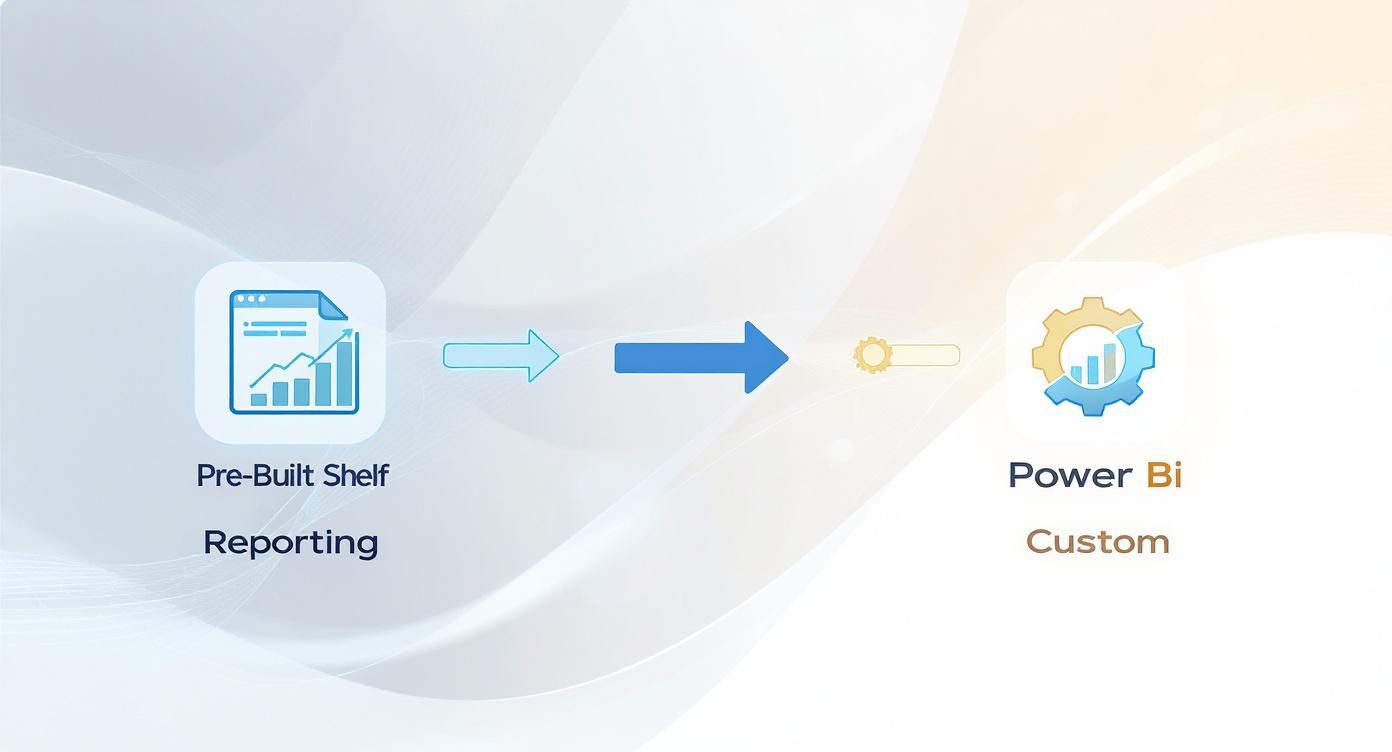
This shows the shift from rigid, pre-packaged software to a flexible environment that can be molded to fit exactly what your business needs.
Designing Intuitive Dashboards in Power BI
With a clean, integrated data model ready to go, we can finally build what everyone will actually see: the dashboards. A great dashboard isn't just a wall of charts. It tells a clear story and answers your most critical business questions at a glance.
We focus on building dashboards in Power BI that are genuinely intuitive for leaders who aren't data analysts. They should be able to explore the data, drill down into details, and spot trends without ever needing to touch a formula.
We typically build out high-level summary views for executives, more granular operational dashboards for department heads, and variance analysis reports that automatically flag what's changed month over month. The impact here is huge. Some finance teams see up to 95% reductions in report prep time, which can speed up the entire financial reporting cycle by around 80% and improve decision-making speed by 70%.
Scheduling and Automating Your Reports
The final step is putting the entire system on autopilot. This is where you get all your time back. We set up automated data refresh schedules in Power BI, ensuring your dashboards are always populated with the latest information—whether that's daily, hourly, or even in near real-time.
No more manual CSV exports. No more working with "last month's numbers." And definitely no more scrambling to pull together a deck for the board meeting. Your team gets instant access to fresh data, exactly when they need it. This is what turns your reporting process from a painful chore into a strategic, automated asset.
Driving Your Business with Financial Insights
Having automated reports is a massive win, but it's really just the starting point. The true power of automated financial reporting software isn't about saving a few hours; it’s about gaining the clarity to make smarter, faster decisions that actually push the business forward. This is where you graduate from simply looking backward to leading with foresight.
The goal here is to turn your new data capabilities into a real strategic advantage. Instead of just seeing what happened last month, you can finally dig into the why and start confidently predicting what’s coming around the corner.
From Variance Reports to Strategic Action
One of the first things you'll notice with a unified reporting system is how easy variance analysis becomes. No more spending days bogged down in Excel hell. Since your operational and financial data are finally talking to each other, you can instantly see how your actual performance stacks up against your budget or forecast.
But it doesn't stop there. A modern BI dashboard lets you drill down with a single click.
- Did revenue miss the mark? Forget just staring at the top-line number. Instantly see which sales rep, product line, or marketing channel didn't pull its weight.
- Costs creeping up? Click right into that expense category and see the exact transactions that pushed you over budget, tracing them all the way back to the source system.
This capability completely changes the rhythm of your business. You're no longer waiting for a month-end report to tell you there's a problem. Now, you can spot a negative trend in the first week and actually do something about it.
This shift is profound. You move from a historical review of the numbers to a real-time diagnostic tool for your business. It's the difference between reading an autopsy report and having a live health monitor.
Building Driver-Based Forecasting Models
With clean, integrated data, you can finally build financial models that reflect how your business actually works. Forget plugging in a generic "let's assume 5% growth" number. It’s time to build a proper driver-based forecast.
This kind of model connects your financial outcomes to the operational KPIs that truly move the needle. Your revenue forecast is no longer a guess; it's a calculated output based on things like:
- The number of leads generated by marketing.
- The sales team's pipeline conversion rate.
- Your customer churn rate.
When your forecast is tied to these real-world drivers, it becomes a dynamic planning tool. Want to hit a higher revenue target? The model shows you exactly which levers to pull. You can run scenarios in minutes: "What happens if we increase our marketing budget by 10%?" or "How would a 2% improvement in customer retention impact our bottom line?" This level of strategic analysis is explored further in discussions about analytics in the finance industry, highlighting how data moves from a reporting tool to a core strategic asset.
Creating a Single Source of Truth
Perhaps the most powerful outcome of all is getting your entire company aligned around one set of numbers. When finance, sales, and operations are all working from the same interactive dashboards, the siloed arguments and "my spreadsheet vs. your spreadsheet" debates just… disappear.
This unified view fosters accountability and much smarter collaboration. The sales team can see how their pipeline directly impacts the company's cash flow forecast. The marketing team understands how their campaign spend translates to Customer Lifetime Value (LTV). For a deeper dive into how data transforms business strategy, consider these insights on data-driven decision making.
This is how you unlock true operational excellence. You're no longer just reporting on the past; you're actively shaping the future of your business with confidence.
Got Questions About Financial Automation? Let's Talk.
Making the switch to an automated reporting system is a big step, and it’s natural to have questions. For founders and operators who are used to having their hands in everything, moving to a more structured data setup can feel like letting go of the controls.
We get it. We hear these same questions from countless SMB leaders who are simply fed up with spreadsheet chaos. Our goal is to pull back the curtain and show you that building a powerful, custom reporting engine isn't just possible—it's the key to scaling your business without losing your mind.
Let's jump right into the big ones.
How Much Does a Custom Reporting Solution Cost?
This is usually the first thing people ask, and the answer is almost always, "less than you think." It's easy to look at off-the-shelf software with a seemingly low monthly fee and think it's the cheaper option. But those costs creep up fast as you add users or your data grows, quickly becoming a permanent drain on your P&L.
A custom Power BI solution is a different beast entirely. It's a project-based investment—an upfront capital expense that creates a permanent asset for your business.
Think of it like buying your office versus renting it. The initial outlay is higher, but you're building real equity in a tool that's built just for you. Over the long haul, the total cost of ownership is often far lower than being locked into never-ending subscription fees for a rigid system that doesn't quite fit.
We always map out a clear cost-benefit analysis with potential clients on our first call, so you can see for yourself which path delivers the better ROI for your specific situation.
How Long Does Implementation Take?
The timeline really boils down to the complexity of your current data situation. A tightly focused project—say, connecting QuickBooks and your CRM to build out your core financial and sales dashboards—can often be designed, built, and launched in just a few weeks. It's amazing how quickly you can go from manual mess to automated clarity.
Bigger projects, especially those involving tricky data sources or complex forecasting models, might stretch out over a couple of months. The single biggest thing that dictates the timeline? A crystal-clear plan from day one. Our discovery process is all about building that roadmap together, so you know exactly what to expect before any work begins.
Do I Need to Be a Tech Whiz to Use This?
Absolutely not. That’s the whole point. While the setup on the backend requires serious data expertise (that's where we come in), the finished product is designed for business leaders, not data engineers.
You'll get intuitive, clickable dashboards made for exploring your numbers. The entire goal is to let you ask questions and get answers in seconds, without ever needing to write a formula or touch the underlying data model. We always finish a project with hands-on training for you and your team to make sure everyone is comfortable and ready to hit the ground running.
Can This System Connect to QuickBooks or Xero?
Yes, and that’s one of the best parts about using a modern platform like Power BI. It comes with pre-built, native connectors for hundreds of the most common business tools out there, including:
- Accounting Software: QuickBooks, Xero, Sage, and many more.
- CRM Platforms: HubSpot, Salesforce, Pipedrive.
- Payment Processors: Stripe, PayPal, Square.
A huge part of what we do is map out all your crucial data sources and stitch them together into a single, unified data model. This is how we finally tear down the data silos that cause so much frustration and wasted time for growing businesses.
Ready to stop wrestling with spreadsheets and start making decisions with confidence? The team at Vizule specializes in building custom Power BI solutions that give founders the financial clarity they need to scale. Book your free BI consultation today and let's map out what automation could look like for you.
